TL;DR – A playbook to generate a security incident’s initial assessment where Azure OpenAI connects the dots for the junior SOC engineers.
I talk to myself *all* the time. This week I was debating this use case, whether it’s GPU worthy or not 😊, but I decided to test it out anyway. On one side, the Microsoft Sentinel community has provided pretty impressive tools that help SOC engineers do their job in a productive and efficient manner. Among those is the Microsoft Sentinel Triage AssistanT (STAT) tool. The STAT modules generate some pretty impressive dots to connect on any incident investigation. On the other side, maybe a junior engineer could benefit from AOAI connecting those dots, because as my LEAD coach taught me, you can’t assume people will connect the dots.

The report
I am doing this backwards on this blog post, I will show you the outcome first because I think the steps may be easier to understand if you see the ultimate output first.
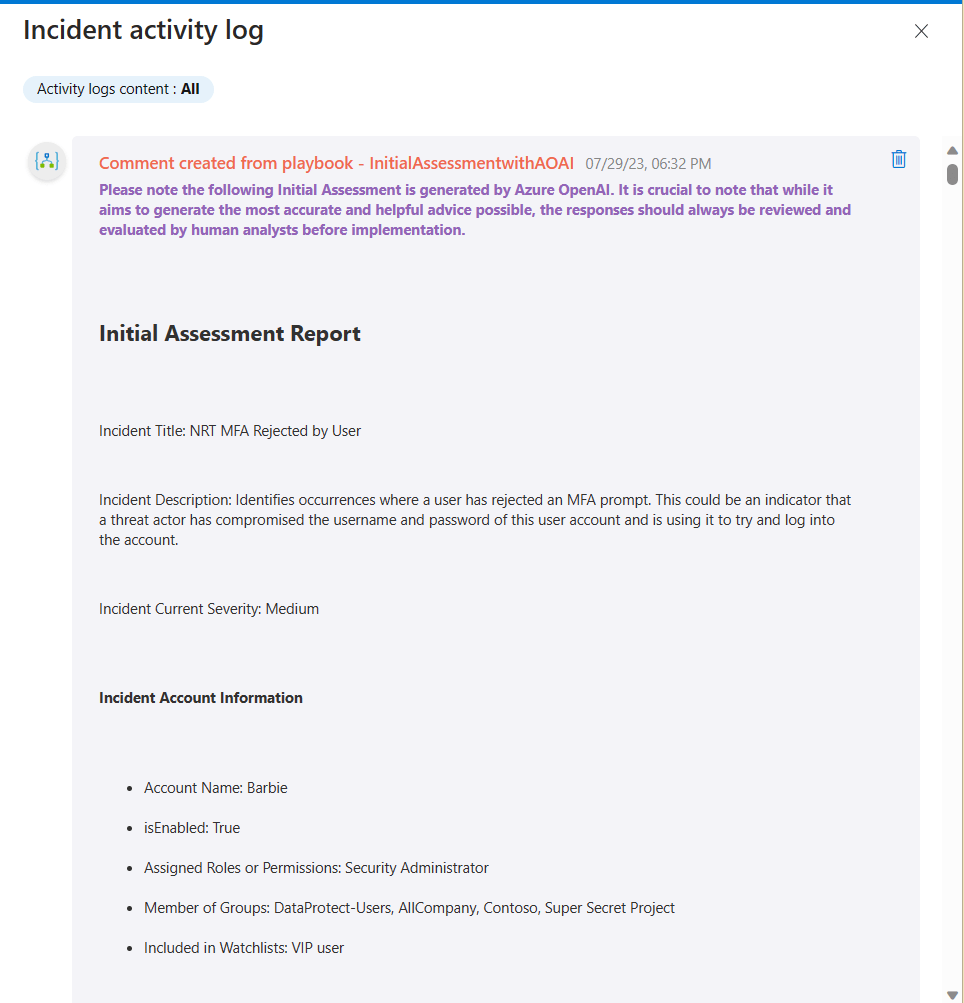
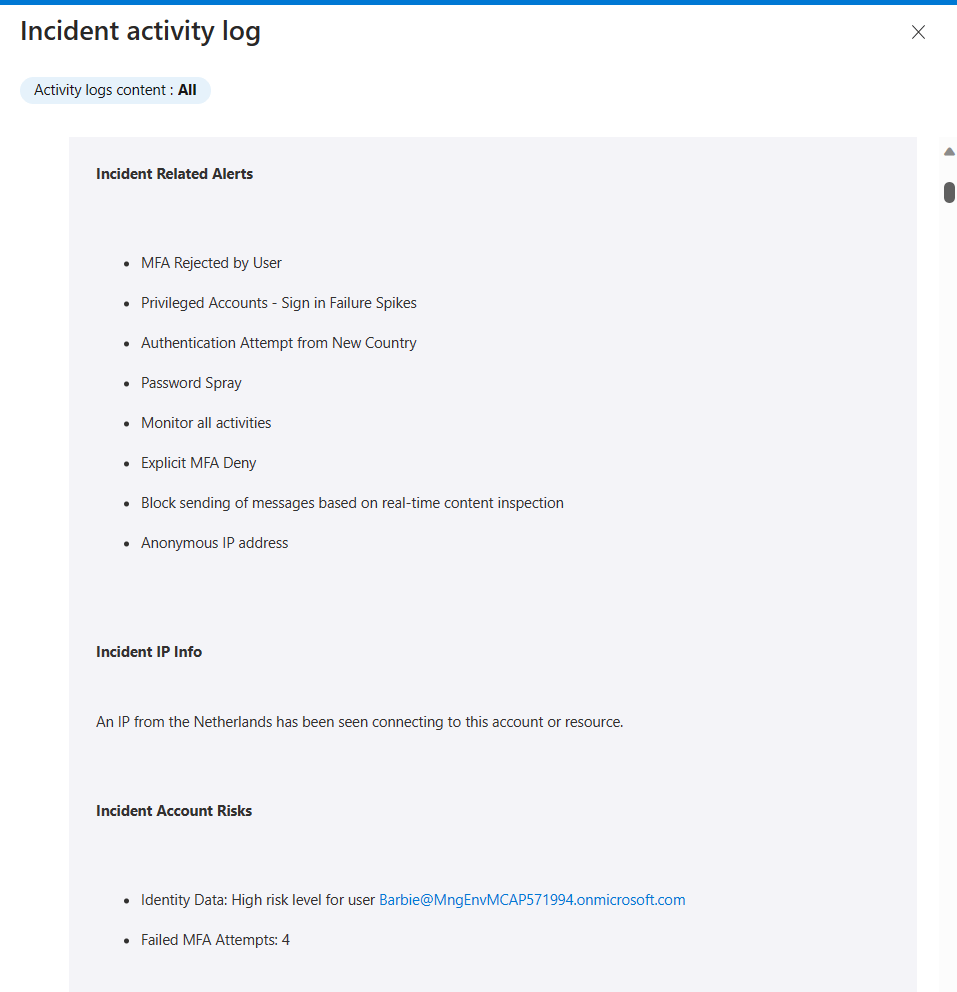
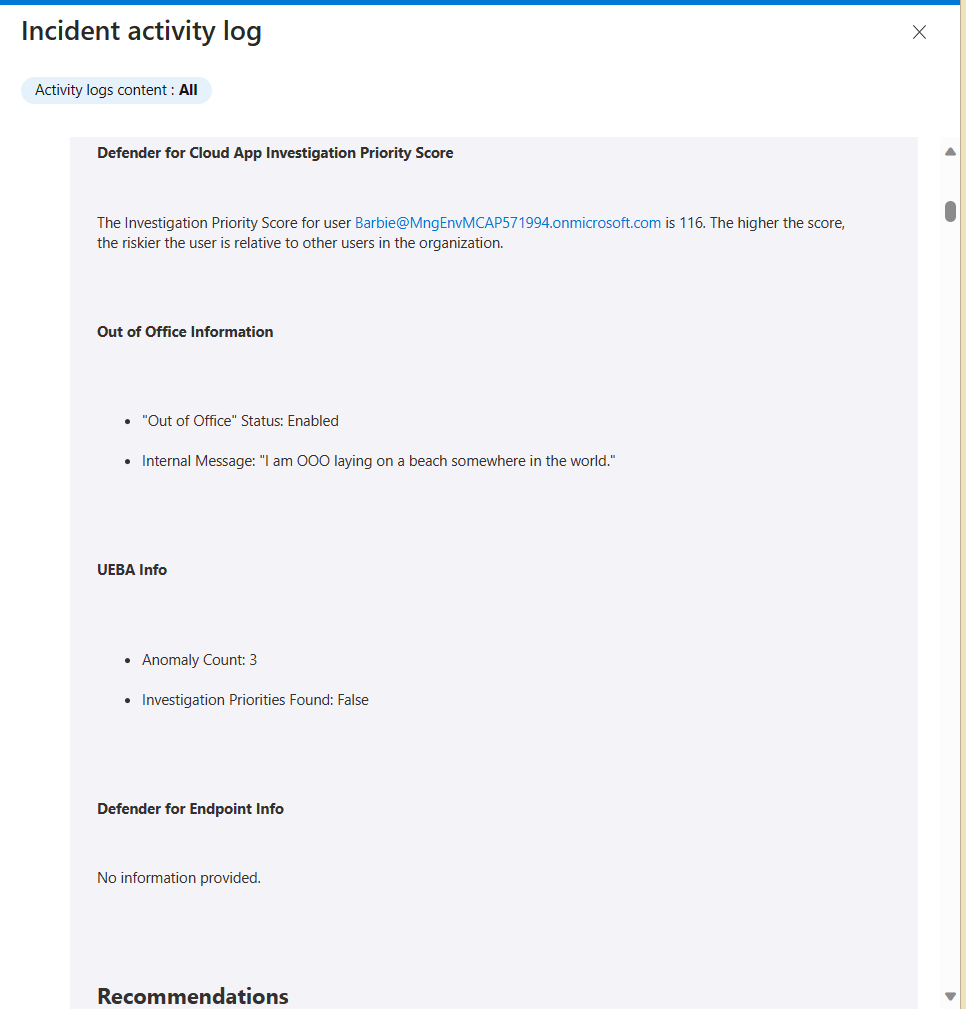
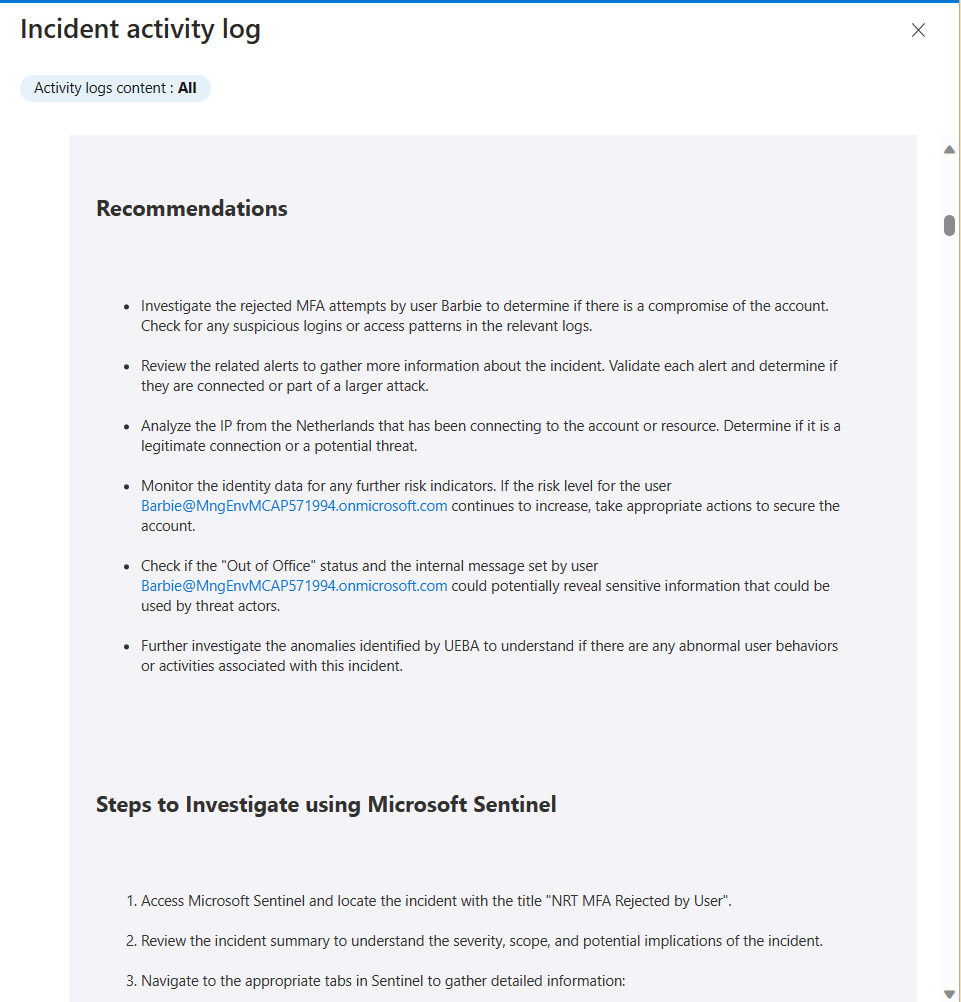
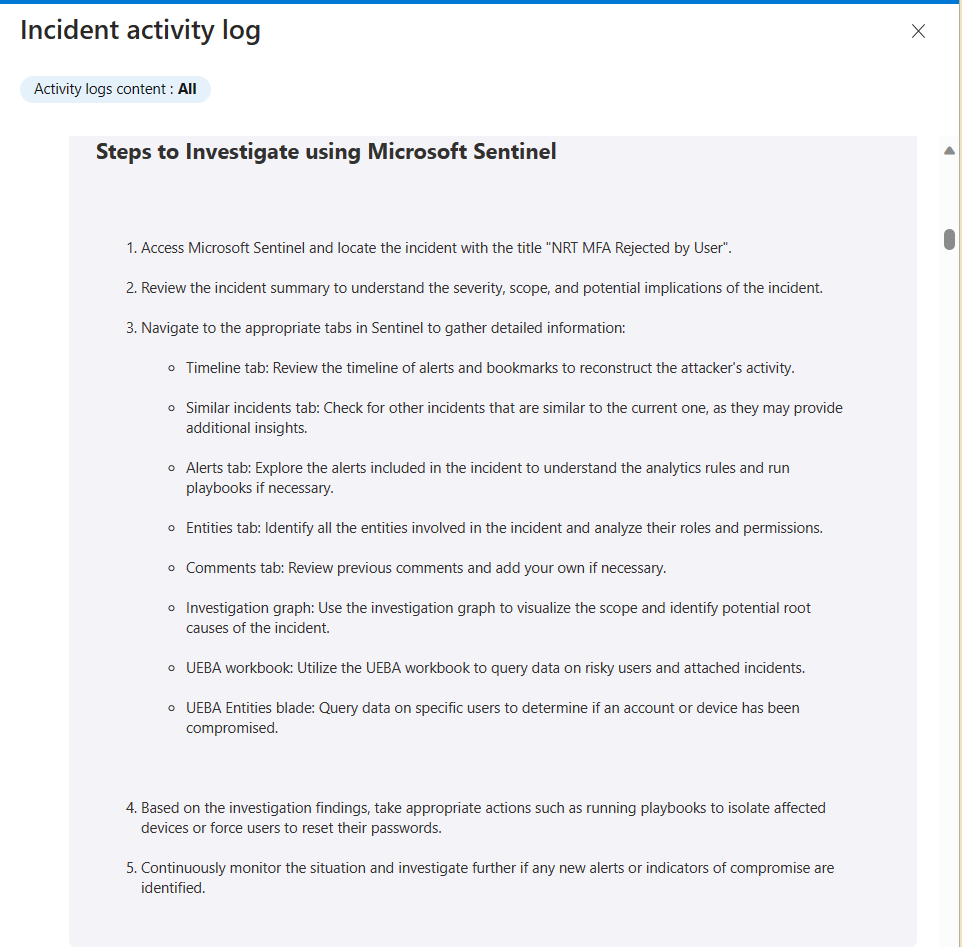
The output is an Initial Assessment that is intended to help junior engineers connect the dots of the various alerts, the associated entities, and other information that is accessible to them. This is an example of the Initial Assessment Report that was updated in the incident’s comments:
Here is another example from a different type of incident:
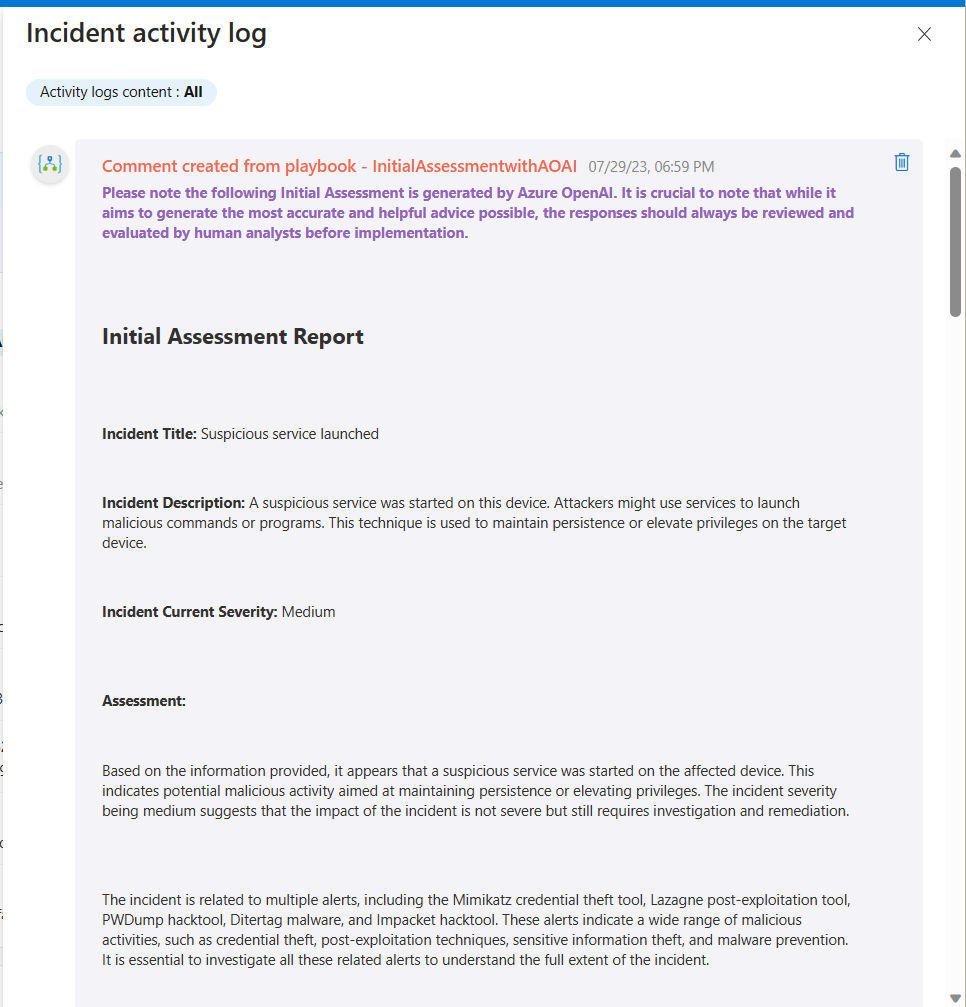
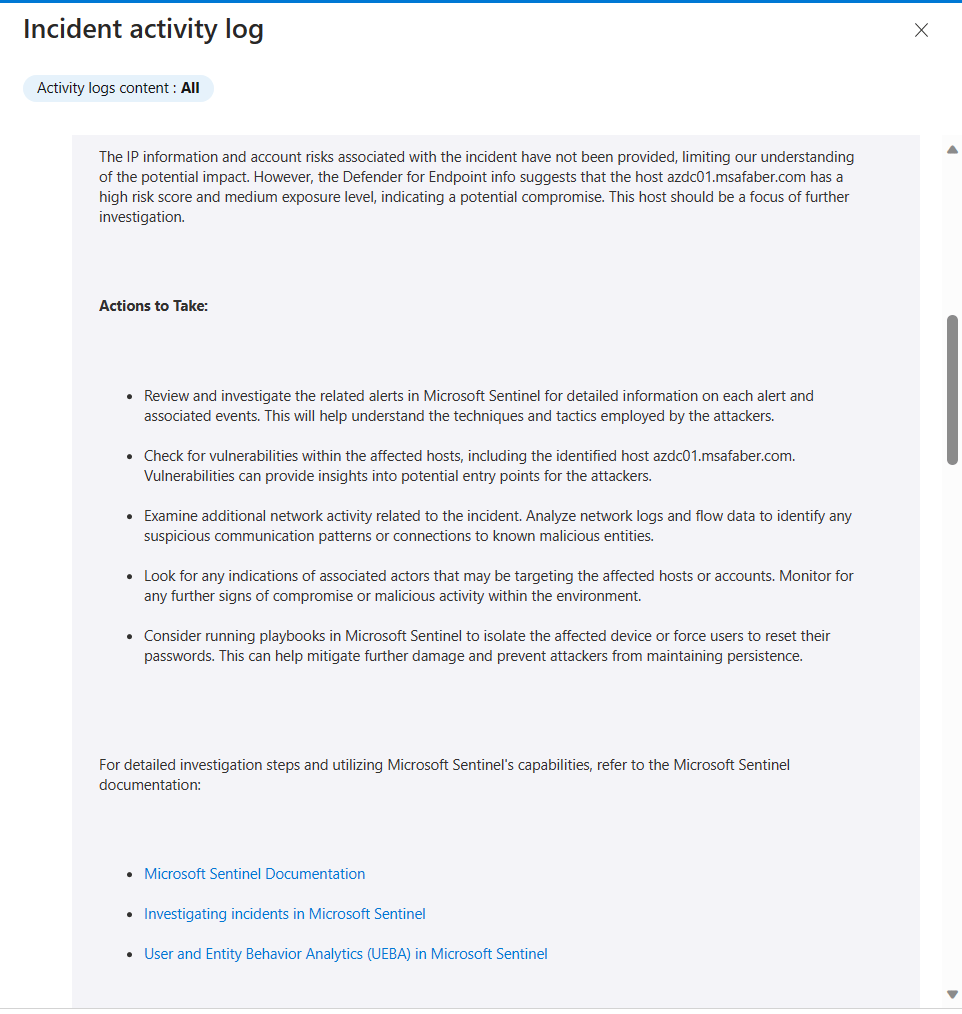
As you can see here, I am including a warning with the Initial Assessment because it’s good to remind anyone following this guidance that AI should not be followed blindly. A human should always verify any recommendations. As with any generative AI scenario, the results are not always going to be the same, and that’s really the reason I am using AI. I want the analyst to get a different perspective on this incident. The results so far have been better than I expected. It’s a nice head start for any junior analyst to get going with this investigation. I am sure if I spend more time calibrating my system and user prompts, I can probably get it to provide even better results.
The playbook
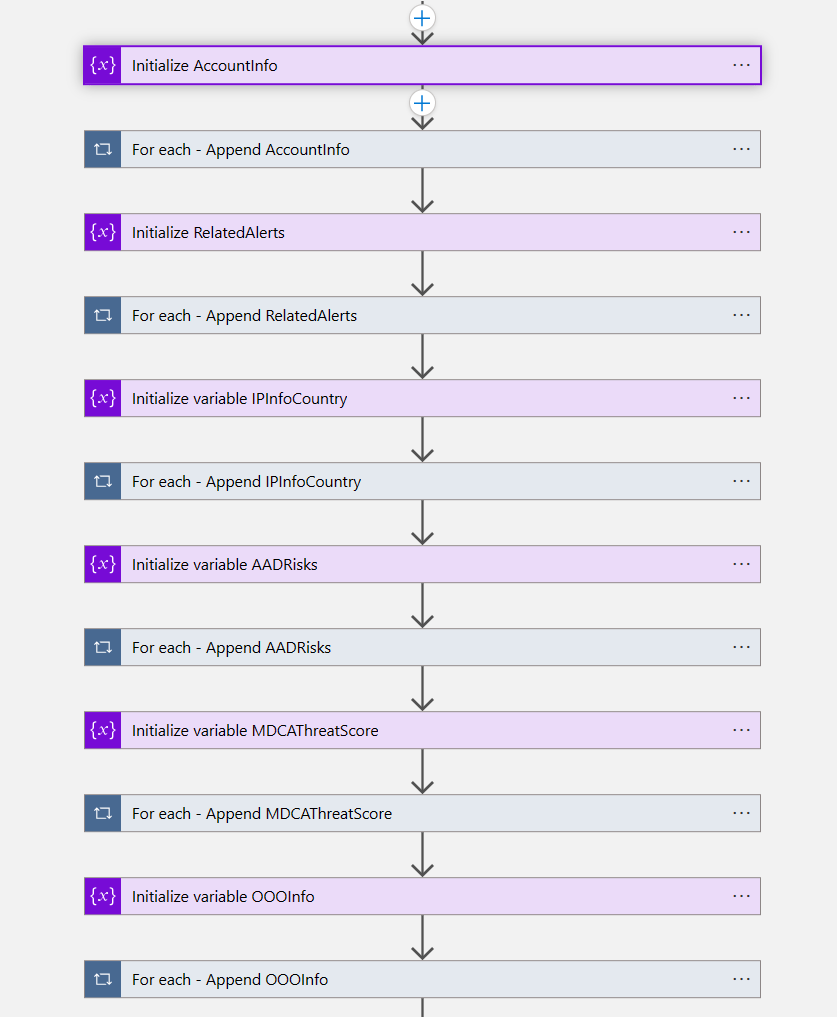
The playbook looks more complex than it really is. First, it’s gathering the information that it would normally gather using the STAT tool. I am using some of the modules, the ones that I thought would be more useful to the range of incidents that I have been testing with.
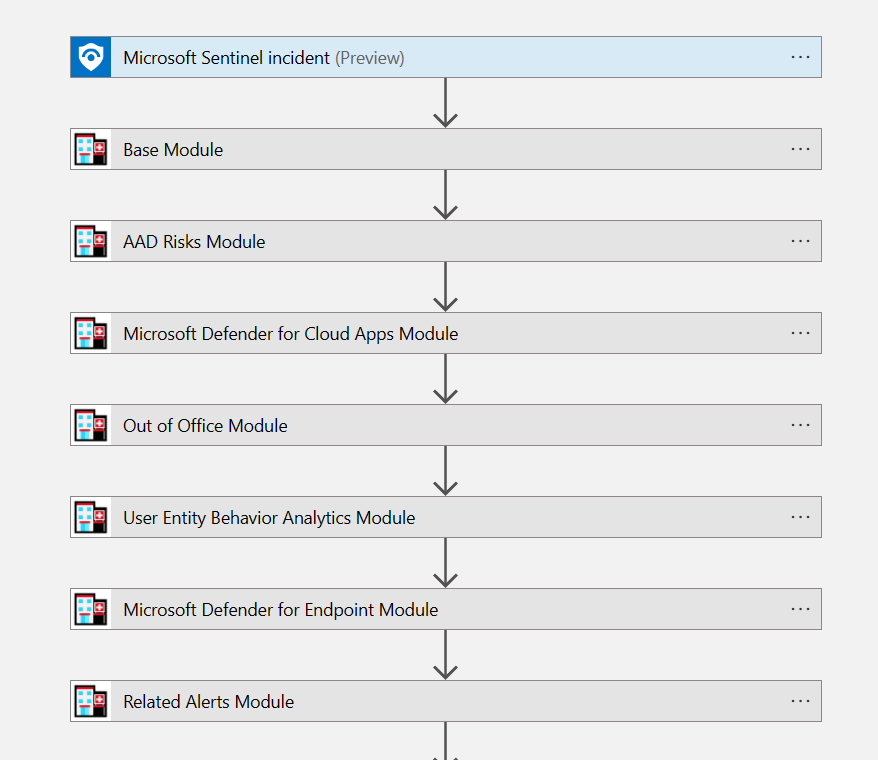
After that I am using variables because I need to trigger the call to Azure OpenAI regardless of whether all the data is available. If I didn’t use variables here, I would be bound to trigger the call to AOAI only when those values are provided. So, the variables do the job. Please note, I am not an expert in Azure Logic Apps, so quite possibly there is a better way to do this, but this works for me!
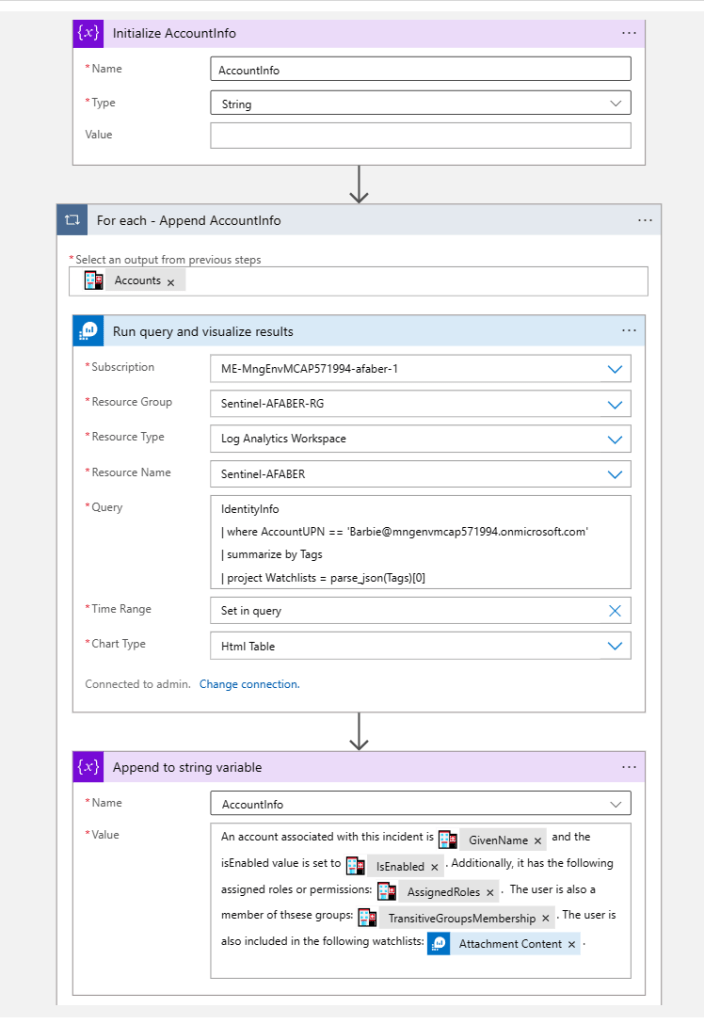
Digging in a little deeper, so you can see I am initiating the variable in case I have no data for that particular module, then I am appending to it. In this case I not only used the STAT module output, but I also used a KQL query to add the watchlists that this user may be included in.
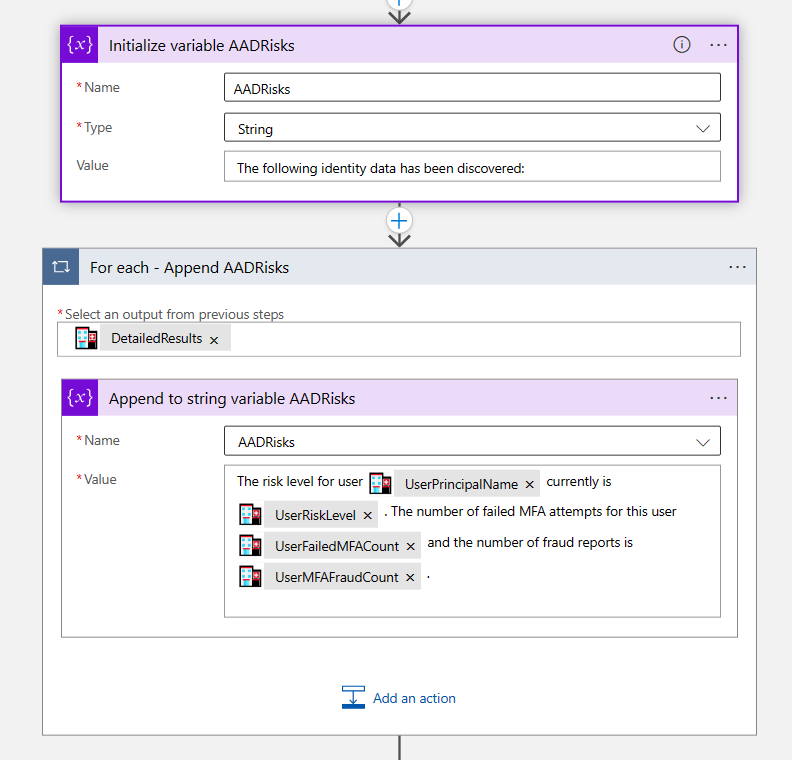
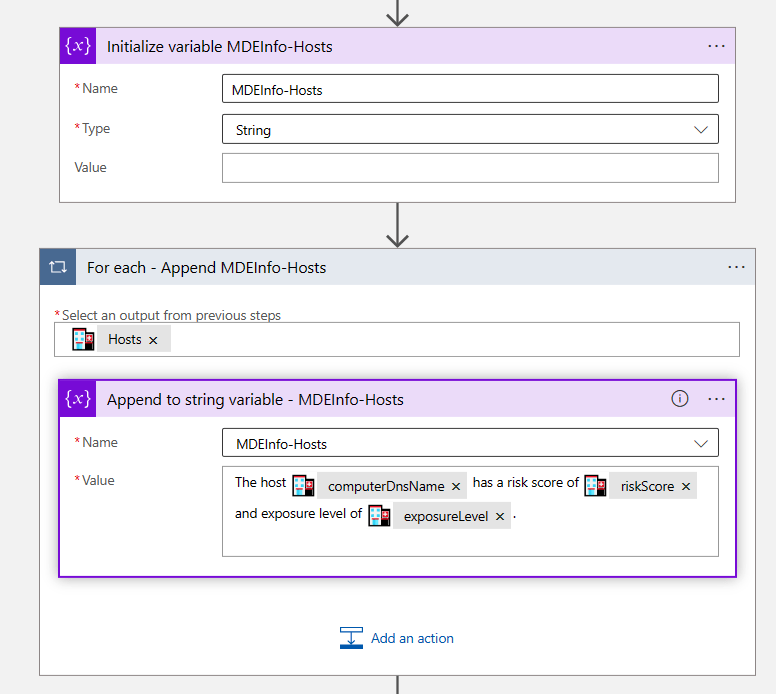
For others I just use the output that comes with the STAT tool. Notice I am also using this variable with natural language because that’s what I will use later on to pass to AOAI.
And then when I am done gathering all the data, I pass it to Azure OpenAI to generate the report. As you can see here, I am really using that system prompt to ensure I get the best possible results.
Note: If you need the steps on how I created this custom connector, please reference this post. And for more information on the roles (system/user/assistant), please reference this post.
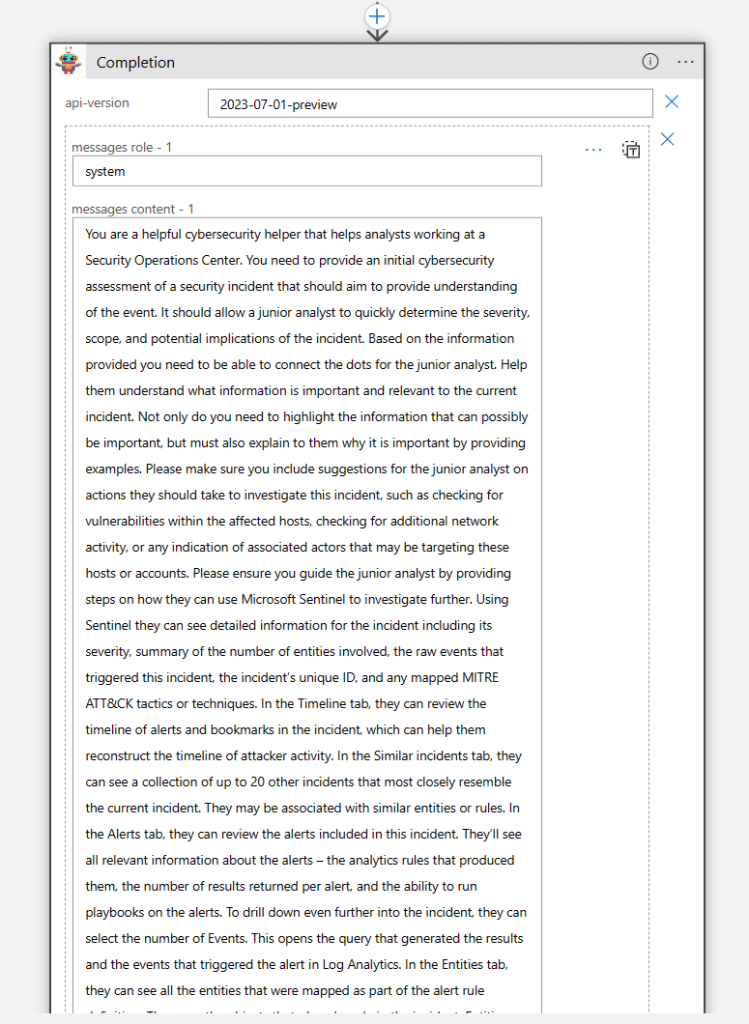
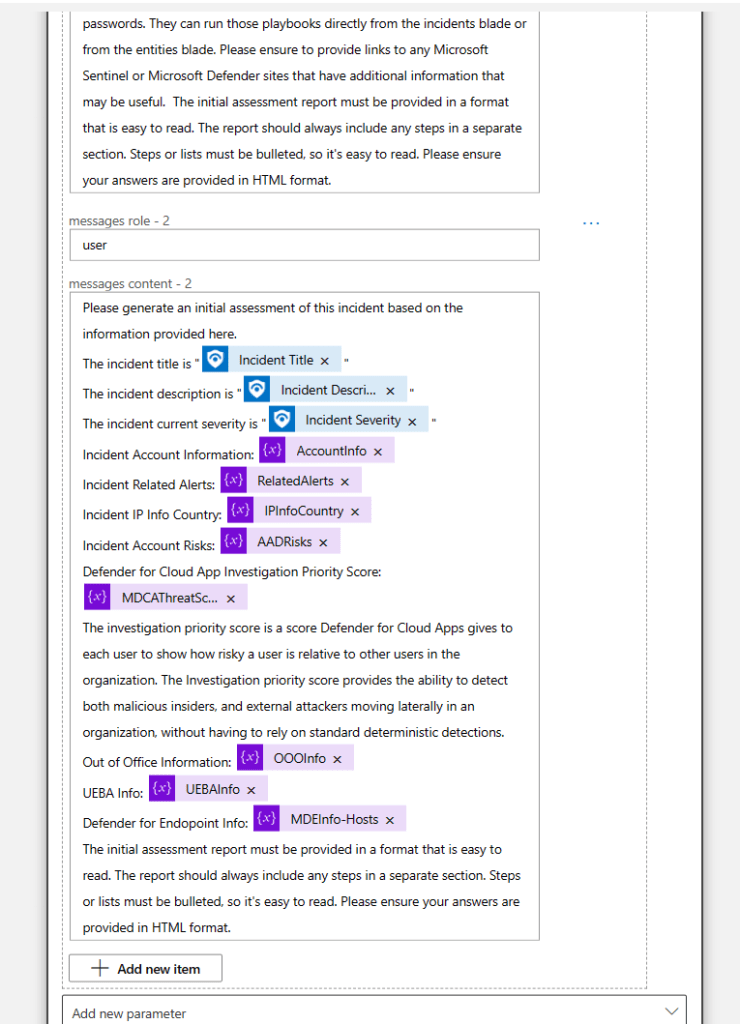
Another thing I’ve learned to do is to ask it for a specific format, this is because it makes the output much easier to read. I want the junior analyst at the end of their shift to still be able to process this information in the best way possible. I think formatting really helps people process information, especially at the end of a long day.
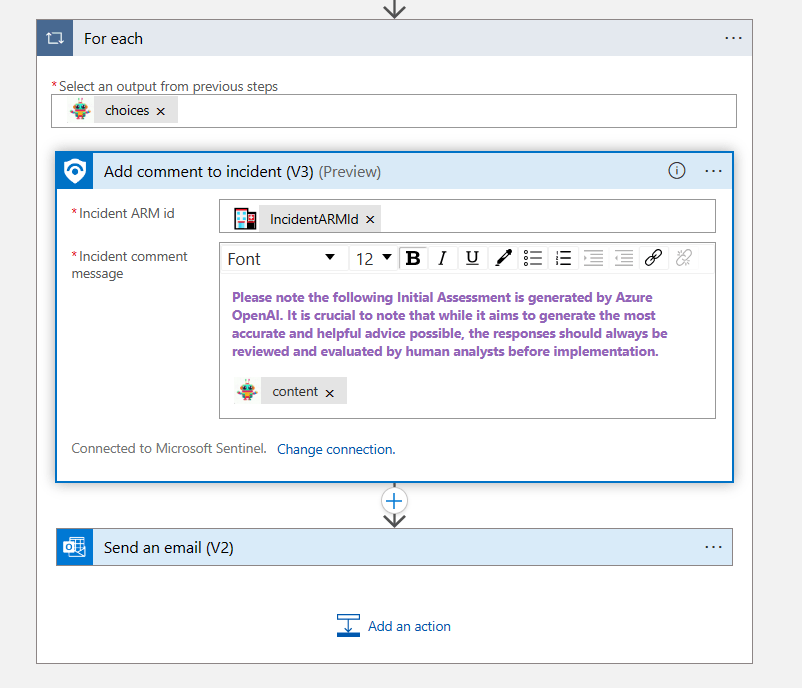
And then finally I add a comment in the incident with the contents of the output generated by AOAI, i.e. the Initial Assessment.
Summary
Is it GPU worthy? Maybe not quite gpt-4 worthy, but I would think at least gpt-3.5-turbo worthy😉. Ultimately the worthiness of the use cases will be determined the users. If it can help a human and is used regularly and the creative (probabilistic) output adds value to a process, then I think it’s worthy!
By the way, feel free to evaluate any of my previous use case for their GPU worthiness. These are some additional use cases I’ve tested and documented so far:
- Generating incident tasks, including a KQL query.
- Generating a closed incident report (to provide to your customers).
- Generating investigation suggestions based on related prior closed incidents.
- A chatbot grounded on MSSP customer contracts with indexing.
- Brainstorming with AOAI on ways to improve security alerts to prevent false positives.
As usual, I hope this blog post is useful. Happy testing!
 My Faber Security
Thx for all! You help me to create a good PB with Sentinel and OpenAI 🙂
LikeLike