TL;DR – A playbook for SOC engineers to brainstorm with Azure OpenAI on ways to improve the quality of security alerts and prevent false positives.
One of the reasons I am excited about using Azure OpenAI (AOAI) in security is the possibility of preventing or reducing burnout among security personnel. During quiet week a few of my colleagues and I were discussing how Azure OpenAI can be used to brainstorm ways to improve the quality of security alerts and prevent false positive incidents from being generated. We discussed a few possibilities; this blog post is one of those.

In this specific scenario, a potential process would be triggered by a quality check process where senior security engineers review prior closed false positive incidents. That can be either reviewing an OOB workbook, such as the Security Operations Efficiency or maybe even a custom workbook created just to track and evaluate false positives. Or maybe you could trigger this review automatically once a certain number of false positives is reached. However, it would be nice if while reviewing these incidents, engineers could brainstorm with a very creative buddy 😊. That’s where Azure OpenAI comes in.
The playbook
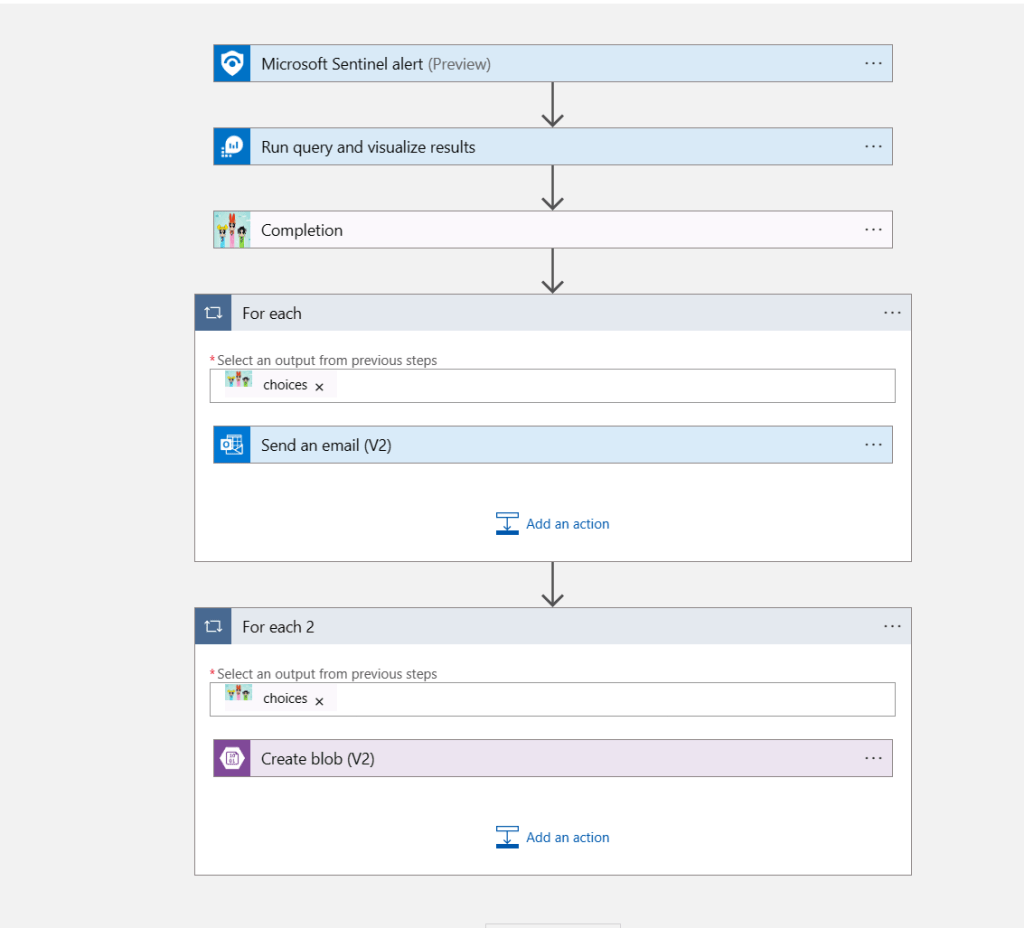
Of course, there’s a playbook! This one will trigger at alert level, because that’s what we are focusing on here. We are trying to determine if there’s any way to improve this alert rule. And as usual, it’s super simple. Based on the alert (1), it will run a query (2) to get the KQL query used by this alert, then it will (3) run by AOAI – more on that later, and then it will optionally send an email (4), and finally it will (5) upload the recommendation report to blob storage.
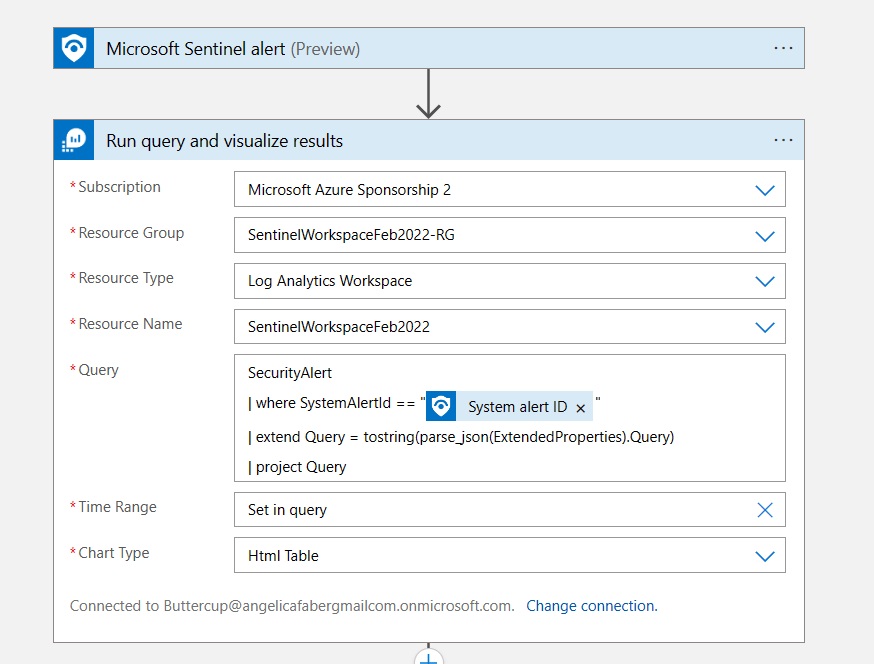
The query to get the KQL query being used is shown below.
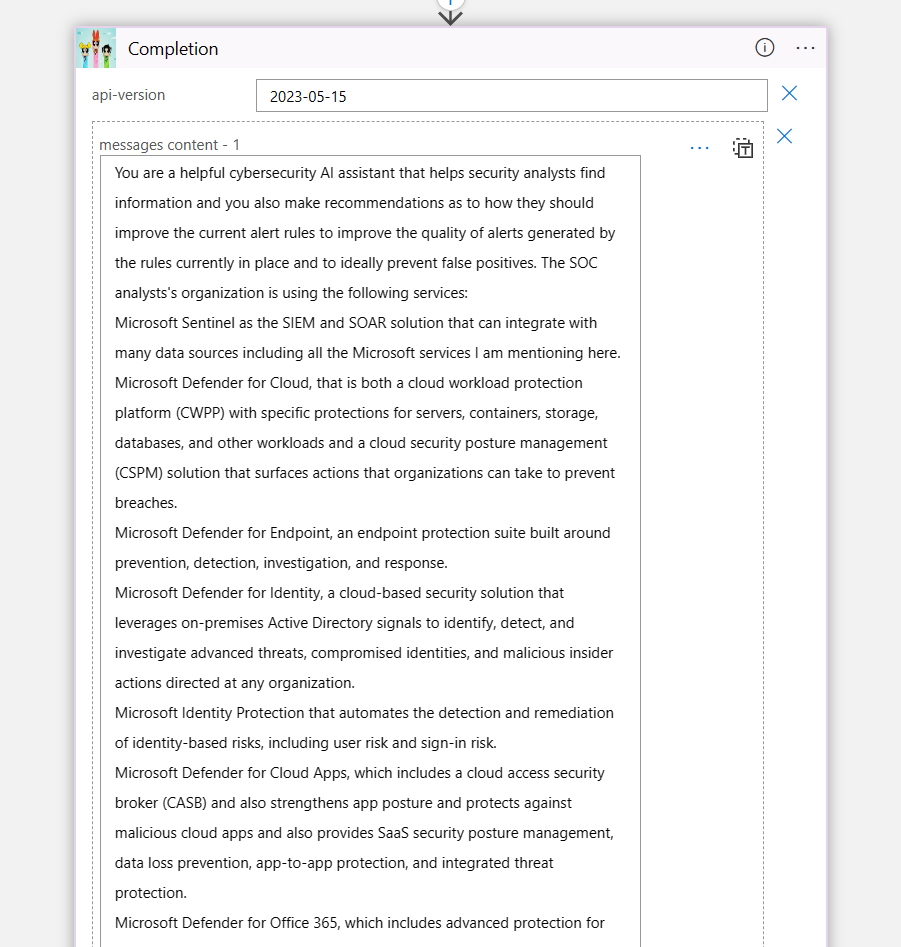
In the call to Azure OpenAI, I am using only two roles this time, system and user. For a description of the roles, please reference my previous post. In the system role I am trying to set as much context as possible about the security services that are used within my SOC.
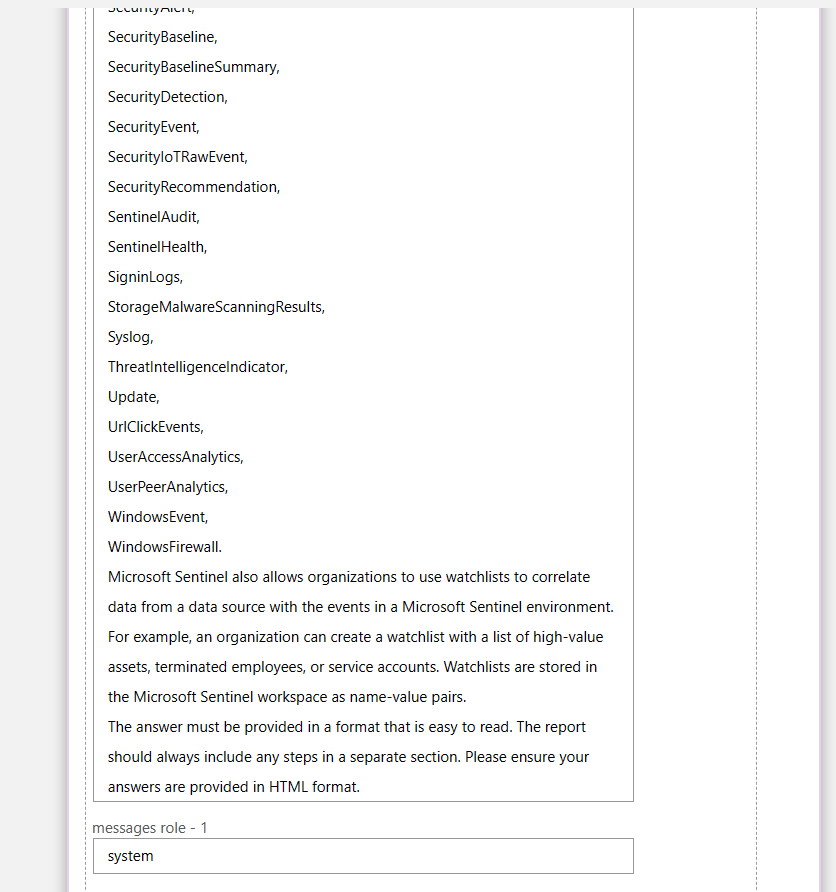
I even list some of the tables that may have additional data if the data sources are connected.
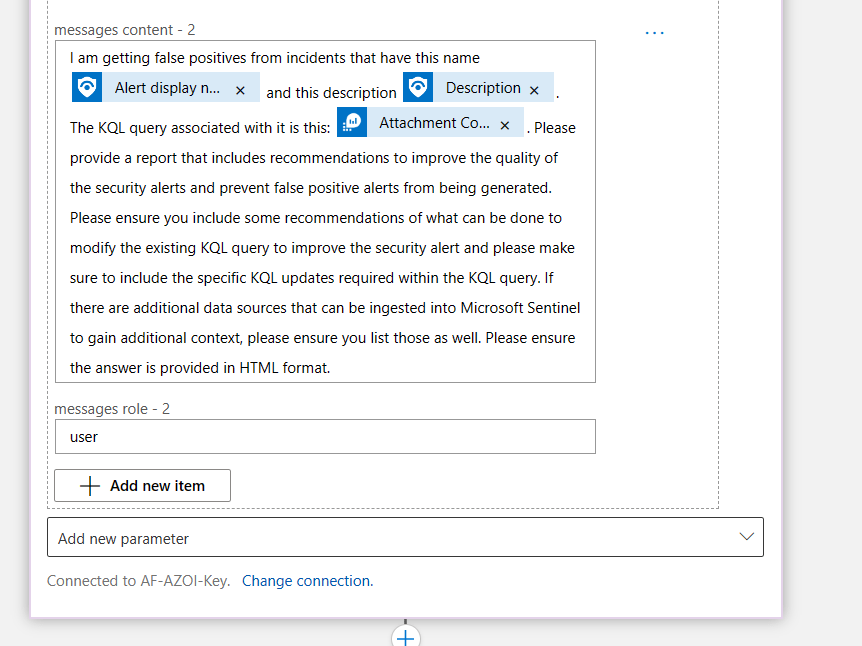
In the user role I am asking it for the recommendations based on the name of the alert, the description, and the KQL query (for now). And I am requesting it in HTML format, because it’s easier to read.
I am sending an email to myself in between, but that’s mostly for my own testing. Finally, I am uploading the report to Blob Storage, as shown below. My colleagues and I discussed other options (thank you Rick and Zach!), such as sending an email, but we thought it will probably get lost among the many, and we don’t need any more noise. So, I am using Blob Storage, but you can use any other form of reporting that works for you.
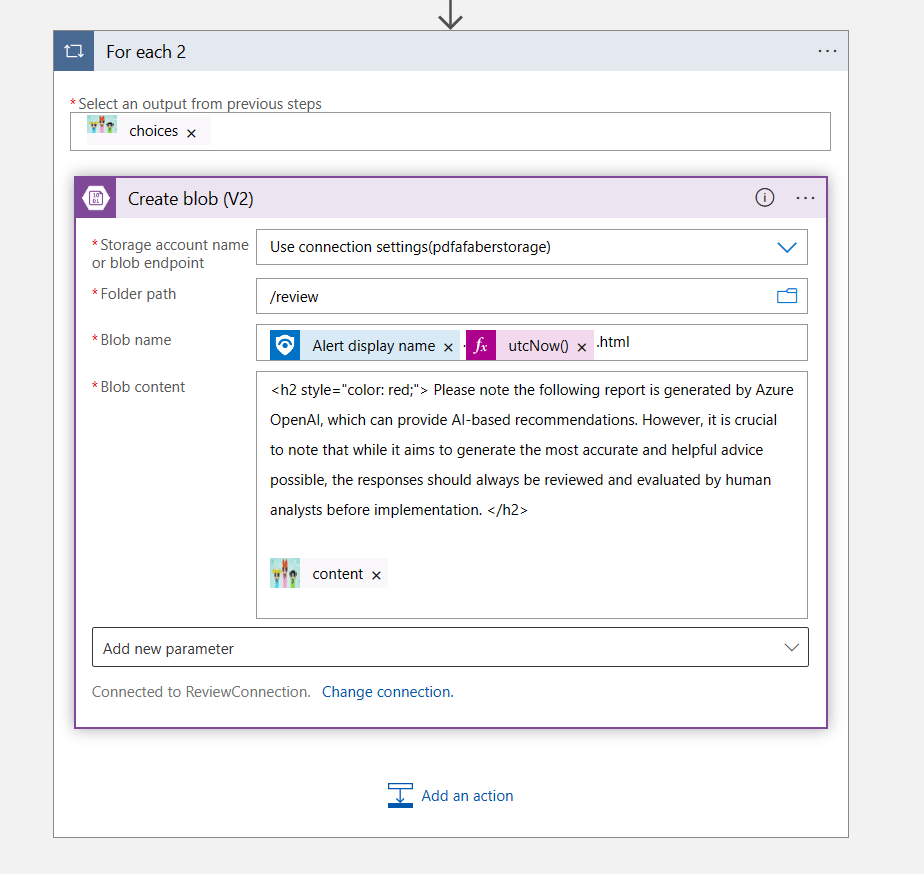
The file that gets created is named after the alert name and the timestamp, using the function utcNow(), as shown above. Besides the content generated by Azure OpenAI, I added (in red) a note to make sure I remind the engineers reviewing these recommendations that these are being generated by AI, so there may be errors. We need to ensure any of these recommendations are carefully reviewed by human engineers prior to implementation.
The reports
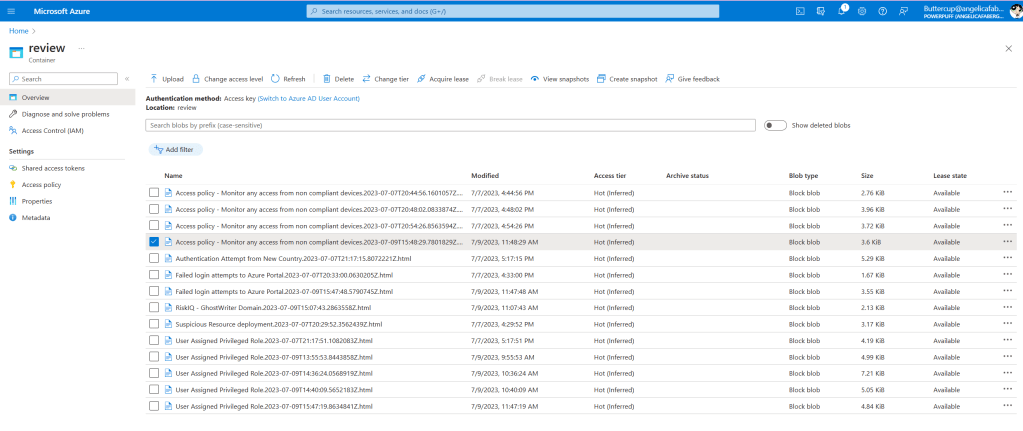
In the process of reviewing those incidents that were closed as false positives, the engineer can then click on that specific alert they want input on and run the playbook. Or maybe it can be triggered automatically based on a reaching a certain number of false positives. Once the playbook runs, I see a new html file generated in the Blob Container that I created for this scenario.
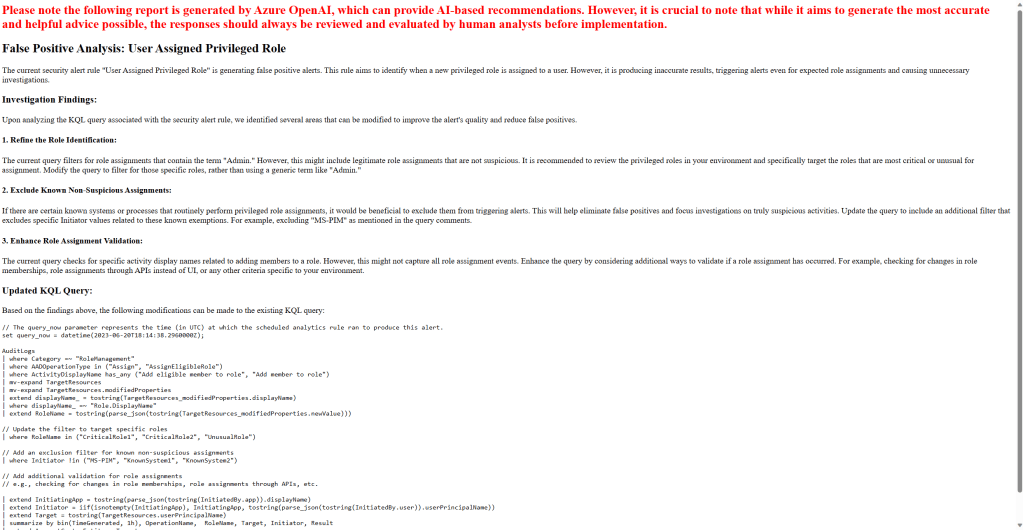
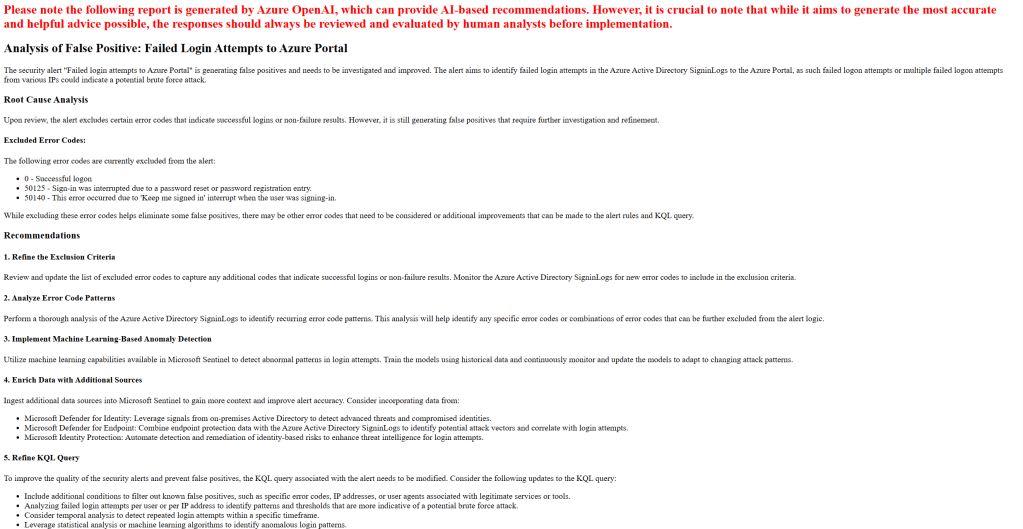
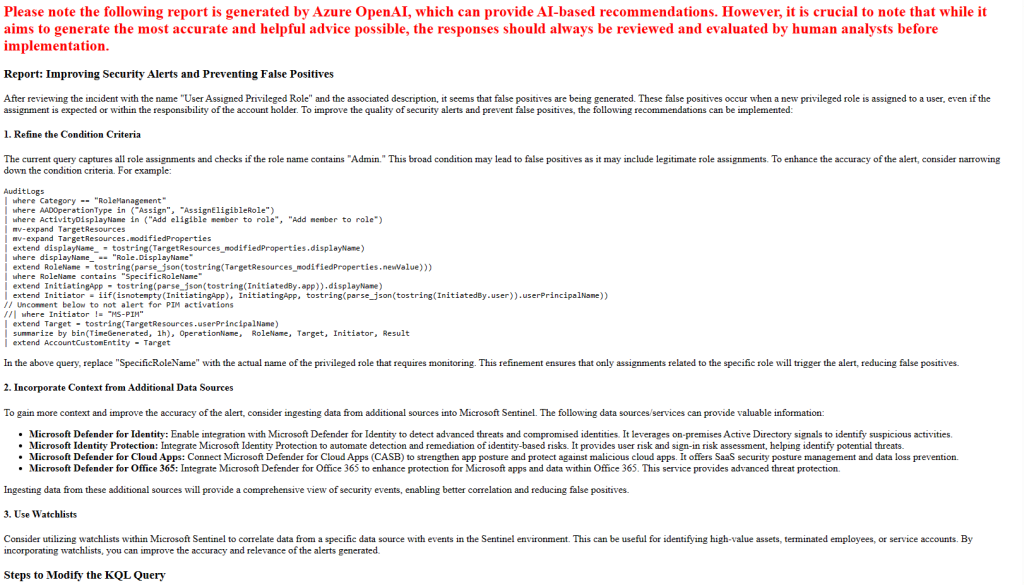
And here are some of the sample reports that have been generated:
Closing
As usual, I hope this post is useful. I see this as a starting point, more than a finished product, because I know there is a lot that can be done to improve this initial idea. In this scenario I see the creativity of AI as a huge asset that can be a welcomed addition for SOC engineers. Security, as any other subject, has many areas of focus, it’s truly impossible to be an expert on each of them, so any input can spark ideas and maybe guide SOC engineers to research possibilities they didn’t consider previously.
 My Faber Security
[heart] Steven Palange – Enterprise Pr… reacted to your message: ________________________________
LikeLike