TL;DR – Raising Sentinel alerts, if SMS is re-enabled in your tenant.
This has been a popular topic of discussion with partners lately given the recent attacks where actors are using well known techniques such as SMS phishing (smishing), SIM swapping, MFA fatigue, etc. to compromise Identity Providers (IdPs). Microsoft Sentinel has quite a bit of OOB analytic rules and queries, including the ones mentioned in a recent Microsoft Sentinel blog post on BEC attacks, as well as other artifacts from community repositories, including Matt Zorich’s (@reprise_99), which are super useful! Especially that query that shows users that are sharing the same number for MFA.
However, there was one concerning story I read recently where it explained the attacker would actually update the SMS setting if it wasn’t enabled. In the case of tenants that have followed the recommended best practices and have disabled SMS, there should be a rule to alert immediately if that setting is ever updated. I couldn’t find one, so I created it. That’s what I am documenting in this short blog post.

Query
This query is looking for Authentication Methods Policy Updates where SMS has been enabled. It will also show the User that made the change and their IP Address.
AuditLogs
| where OperationName == "Authentication Methods Policy Update"
| extend UpdatedAuthenticationMethods = tostring(parse_json(tostring(parse_json(tostring(TargetResources[0].modifiedProperties))[0].newValue)))
| extend AuthMethodsArray = parse_json(tostring(parse_json(UpdatedAuthenticationMethods).authenticationMethodConfigurations))
| mv-expand AuthMethodsArray
| extend Method = tostring(AuthMethodsArray.id)
| extend State = toint(AuthMethodsArray.state)
| where Method == "Sms" and State == 0
| extend UserPrincipalName = parse_json(tostring(InitiatedBy.user)).userPrincipalName
| extend IPAddress = parse_json(tostring(InitiatedBy.user)).ipAddress
| project OperationName, Identity, UserPrincipalName, IPAddress, Method, State, TimeGenerated
Analytic Rule
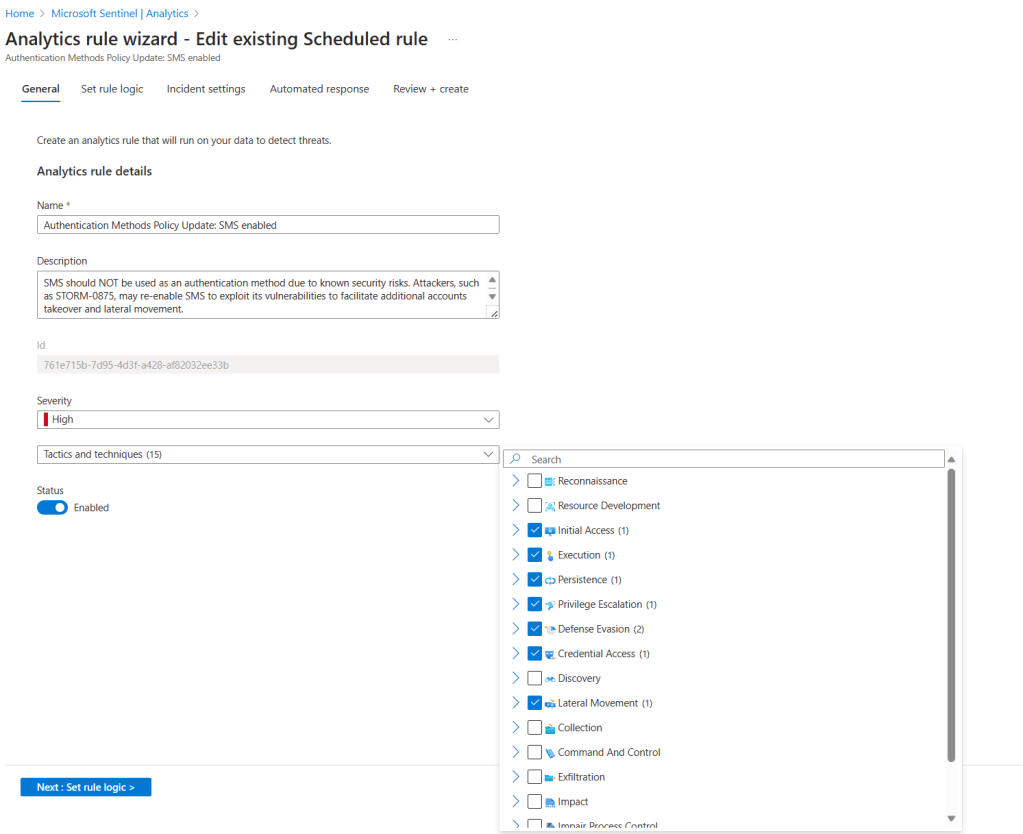
Please remember that the Fusion algorithm can use alerts generated by scheduled analytic rules that contain kill-chain (tactics) and entity mapping information. That means that even the analytic rules created by analysts can be part of a multi-stage attack as long as those two items are present. So, when you create the analytic rule, make sure you select the associated tactics and techniques, as shown below.
As well as configure entity mapping, as shown below.
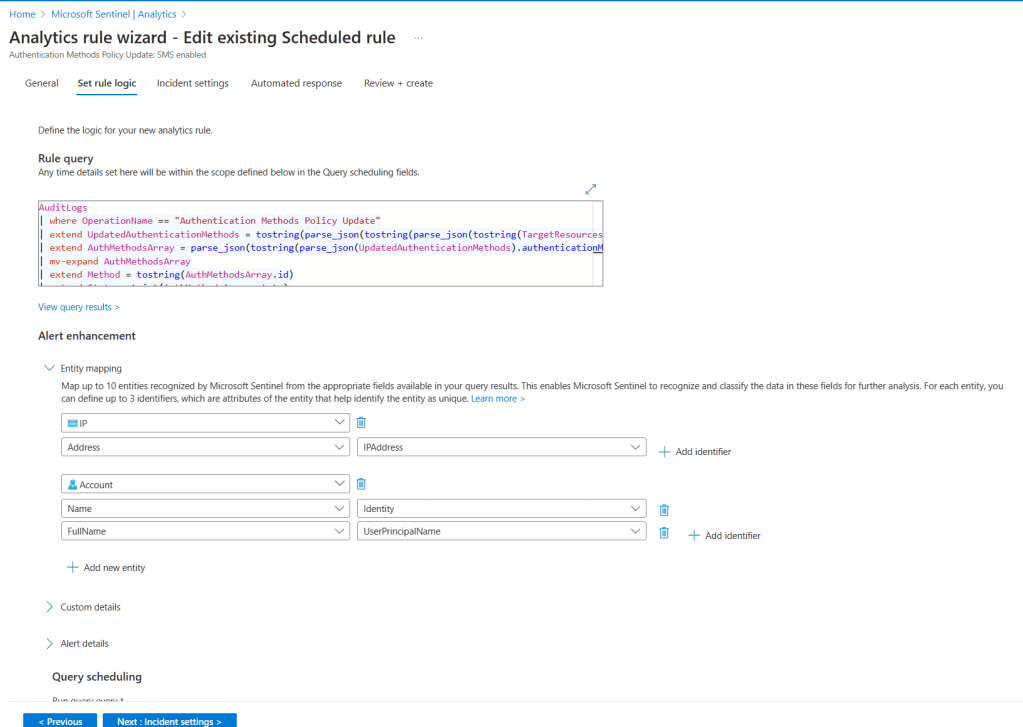
This will ensure that the alert generated by this rule will also be incorporated into a multi-stage attack incident.
The alert
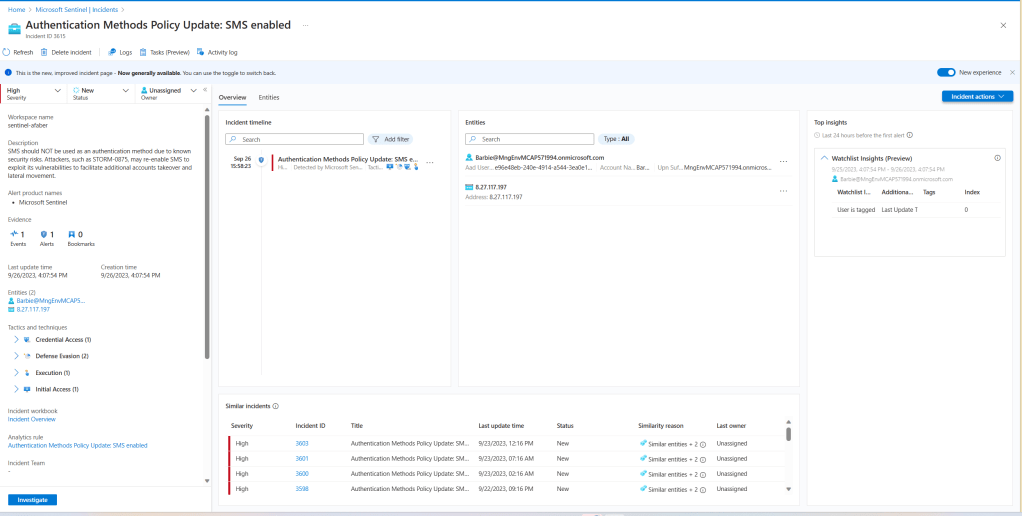
This is what the SOC analyst will see when they are alerted.
Closing
By the way, if you are considering options to replace SMS, please review the Microsoft documentation for the options available. There are phishing resistant options that are also passwordless! That means not only better security, but also your end users will love you for making their lives easier. If it helps, I also published a blog post a while back about a specific scenario using FIDO2 security keys, which I am big fan of. As usual, I hope this blog post is helpful.
 My Faber Security