TL;DR – Generating Sentinel incident investigation suggestions based on comments from closed related incidents using a custom Logic App that connects to Azure OpenAI. And for some additional grounding, a little RAG for a chatbot that knows a lot about my customers.

In this post I describe how I get a few incident investigation suggestions based on comments from prior related incidents that were closed and classified as either True Positive or Benign Positive. This is a scenario I didn’t blog about previously, but I did mention and demoed during our partner session last week with my colleagues Rick and Zach. I was waiting for this Retrieval Augmented Generation (RAG) feature that allows me to add my data and create a chatbot so I could ground this scenario with some customer specific data. And yesterday that feature went into public preview, so I am sharing how I incorporated it.
What are related incidents (in my book)?
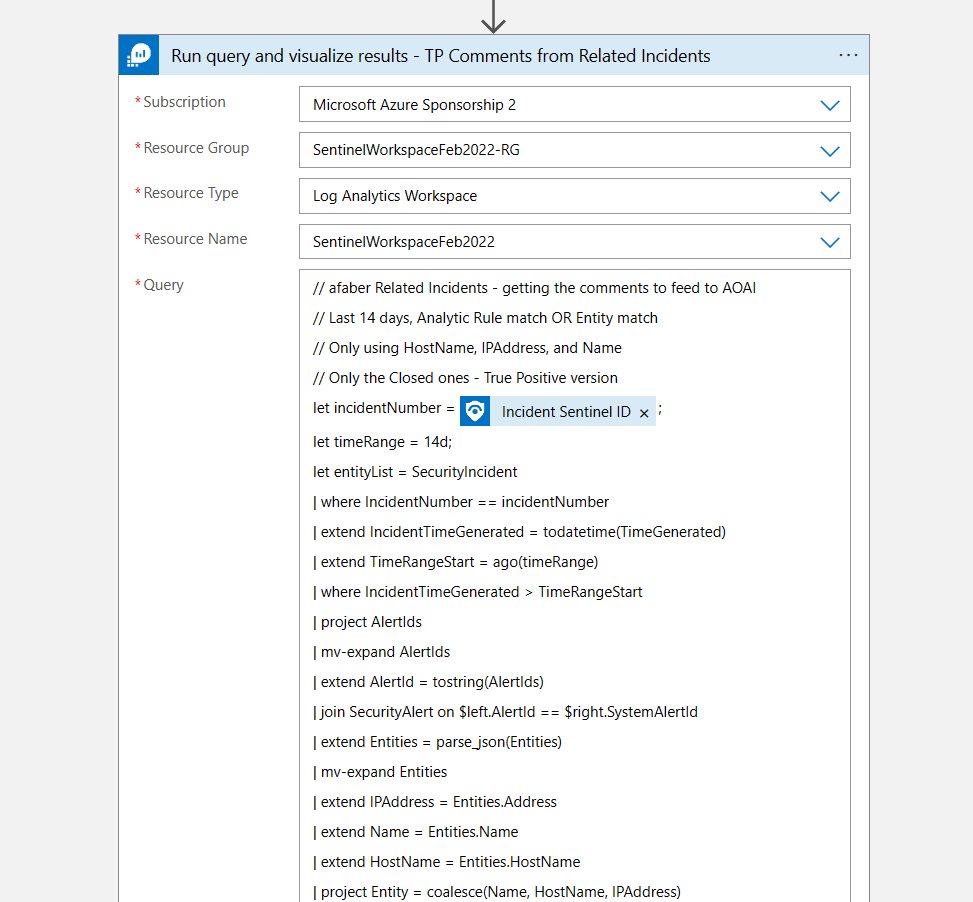
To be clear, I am referring to related incidents, not similar incidents, because I don’t have access to the secret sauce that is currently used within Sentinel to determine similar incidents. However, with immense help of Azure OpenAI, I came up with a KQL query that is pretty accurate in the areas that I need it to be. It looks back 14 days for any incidents that match either the analytic rule or the entities. In my case the entities that I am looking at are only HostName, IPAddress, and Name (which can be an account or the name of the malware, etc.). And that’s sufficient for my testing purposes.
Also, I split this into two groups, one for True Positives and one for Benign Positives, because I update the incident with one comment for each type, just to give the SOC analyst both possible perspectives. Once the incidents are selected, then I use that list to gather the comments for those incidents, which is the data that I feed to Azure OpenAI a little later.
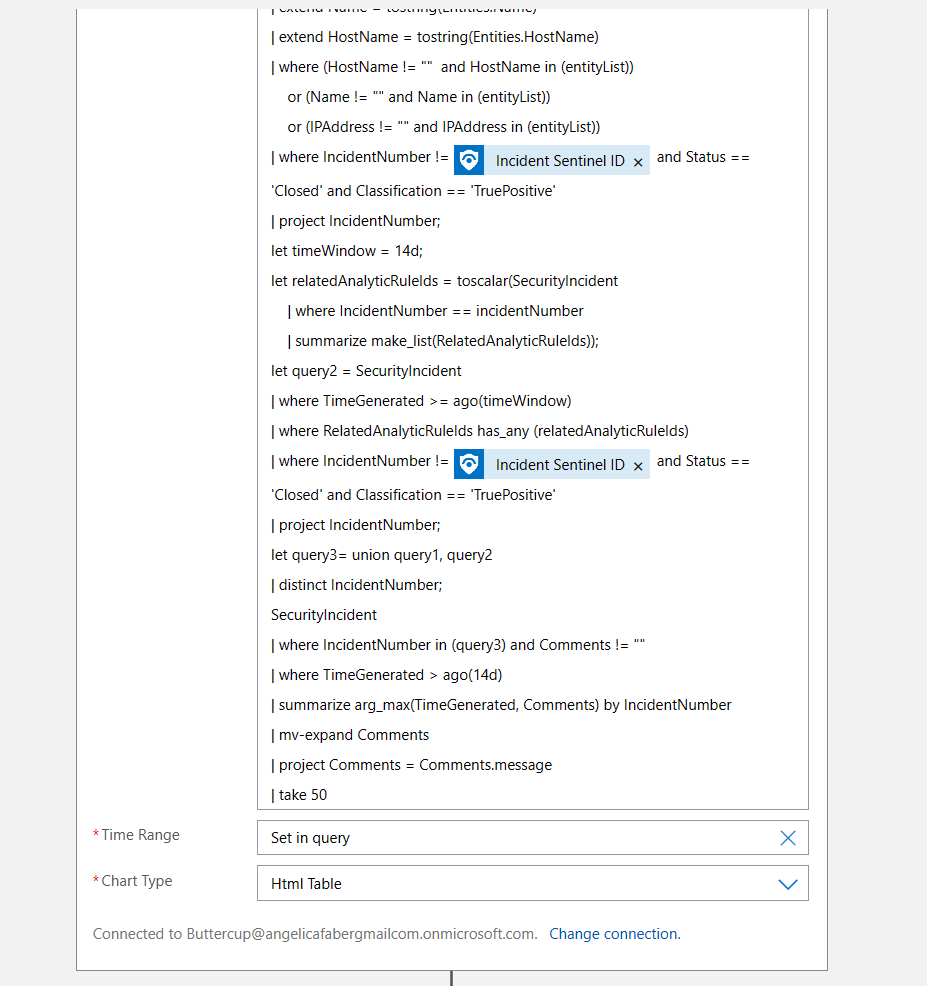
The True Positive query is shown below:
// afaber Related Incidents - getting the comments to feed to AOAI
// Last 14 days, Analytic Rule match OR Entity match
// Only using HostName, IPAddress, and Name
// Only the Closed ones - True Positive version
let incidentNumber = <Incident Sentinel ID - Dynamic content>;
let timeRange = 14d;
let entityList = SecurityIncident
| where IncidentNumber == incidentNumber
| extend IncidentTimeGenerated = todatetime(TimeGenerated)
| extend TimeRangeStart = ago(timeRange)
| where IncidentTimeGenerated > TimeRangeStart
| project AlertIds
| mv-expand AlertIds
| extend AlertId = tostring(AlertIds)
| join SecurityAlert on $left.AlertId == $right.SystemAlertId
| extend Entities = parse_json(Entities)
| mv-expand Entities
| extend IPAddress = Entities.Address
| extend Name = Entities.Name
| extend HostName = Entities.HostName
| project Entity = coalesce(Name, HostName, IPAddress)
| where Entity != "" ;
let query1 = SecurityIncident
| extend IncidentTimeGenerated = todatetime(TimeGenerated)
| extend TimeRangeStart = ago(timeRange)
| where IncidentTimeGenerated > TimeRangeStart
| project IncidentNumber, Status, AlertIds, Classification
| mv-expand AlertIds
| extend AlertId = tostring(AlertIds)
| join SecurityAlert on $left.AlertId == $right.SystemAlertId
| extend Entities = parse_json(Entities)
| mv-expand Entities
| extend IPAddress = tostring(Entities.Address)
| extend Name = tostring(Entities.Name)
| extend HostName = tostring(Entities.HostName)
| where (HostName != ""  and HostName in (entityList))
    or (Name != "" and Name in (entityList))
    or (IPAddress != "" and IPAddress in (entityList))
| where IncidentNumber != <Incident Sentinel ID - Dynamic content> and Status == 'Closed' and Classification == 'TruePositive'
| project IncidentNumber;
let timeWindow = 14d;
let relatedAnalyticRuleIds = toscalar(SecurityIncident
    | where IncidentNumber == incidentNumber
    | summarize make_list(RelatedAnalyticRuleIds));
let query2 = SecurityIncident
| where TimeGenerated >= ago(timeWindow)
| where RelatedAnalyticRuleIds has_any (relatedAnalyticRuleIds)
| where IncidentNumber != <Incident Sentinel ID - Dynamic content> and Status == 'Closed' and Classification == 'TruePositive'
| project IncidentNumber;
let query3= union query1, query2
| distinct IncidentNumber;
SecurityIncident
| where IncidentNumber in (query3) and Comments != ""
| where TimeGenerated > ago(14d)
| summarize arg_max(TimeGenerated, Comments) by IncidentNumber
| mv-expand Comments
| project Comments = Comments.message
| take 50
The playbook
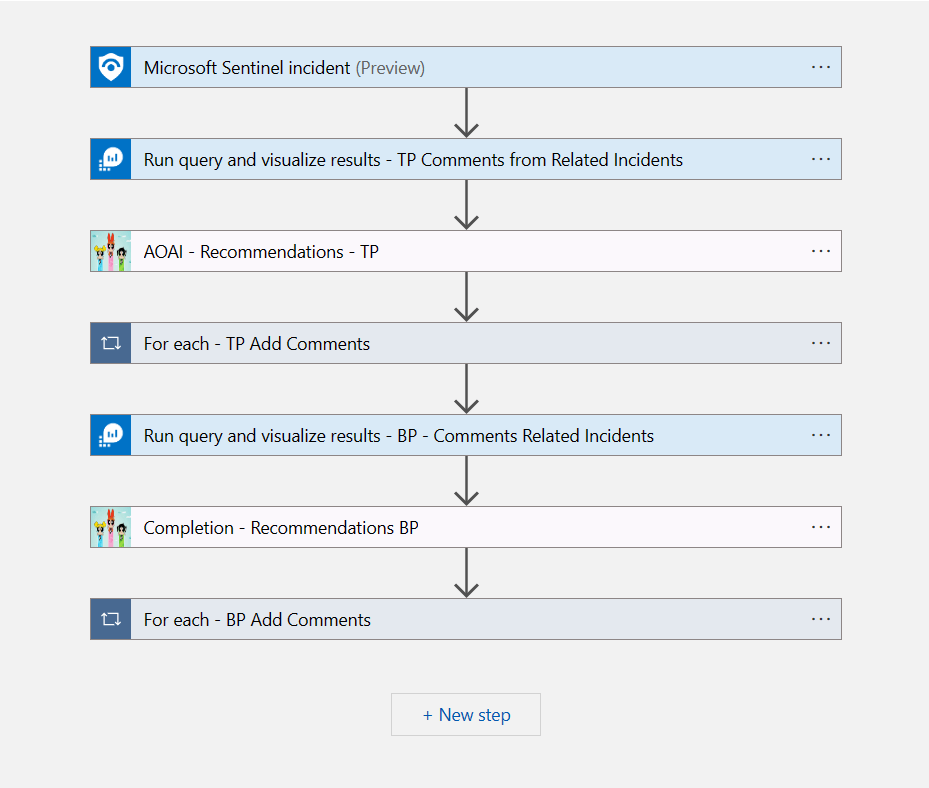
As usual, it’s a pretty simple playbook. It’s a triggered by a Sentinel incident, I then run the query above to gather the comments from the closed related incidents, with True Positives first, then I feed that to Azure OpenAI to generate some suggestions on how to investigate this incident. Then I do the same, but this time with Benign Positives.
The first query is the one I shared above, but here is a screenshot for reference:
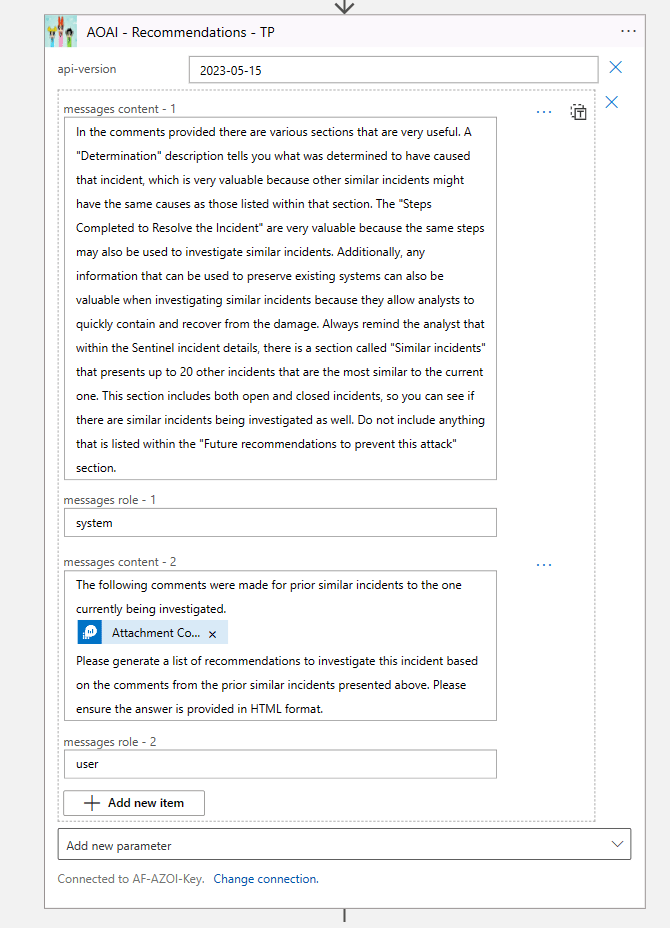
Then I feed the output of the query above using the Attachment Content dynamic value. Of course, I try to set the context using as much detail as possible in the system role. For a description of the roles, please reference my previous post. And I ask it for HTML format because it’s easier to read.
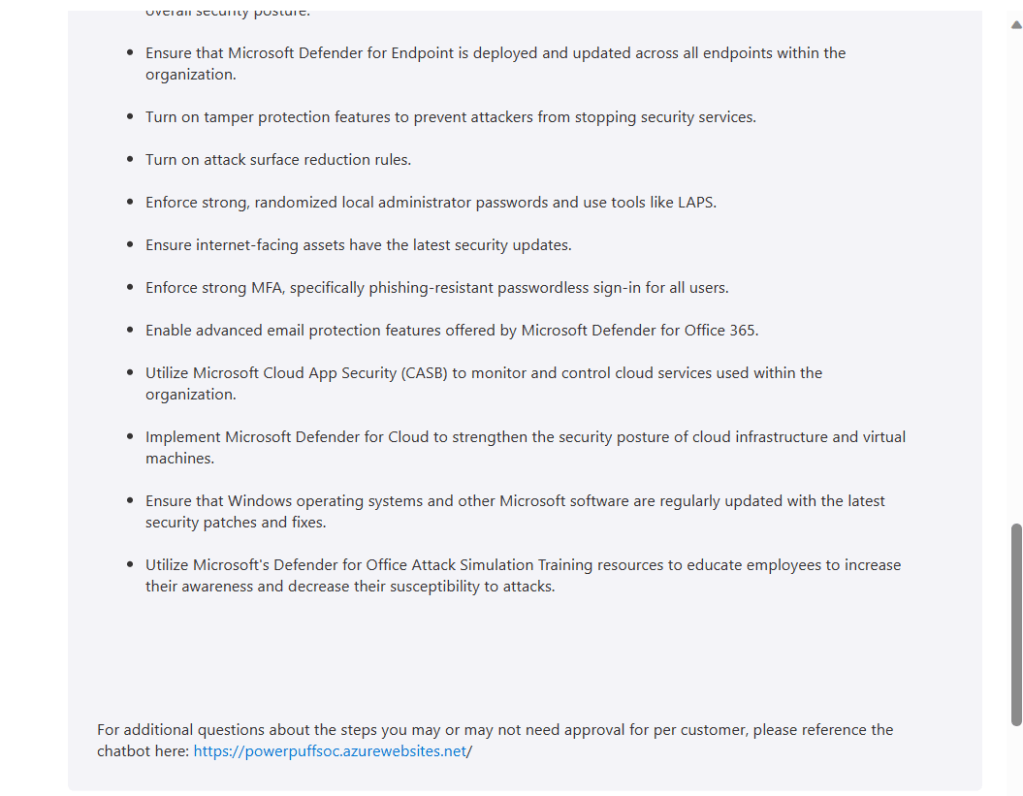
Then I update the Sentinel incident with the comments that Azure OpenAI generated. Now, there is one difference here for the True Positive comment version. In this one I am also asking the SOC analyst to visit a specific URL, which is my SOC chatbot, in case they have questions about which steps they need approval to execute for this customer. I will expand on the chatbot in the next section.
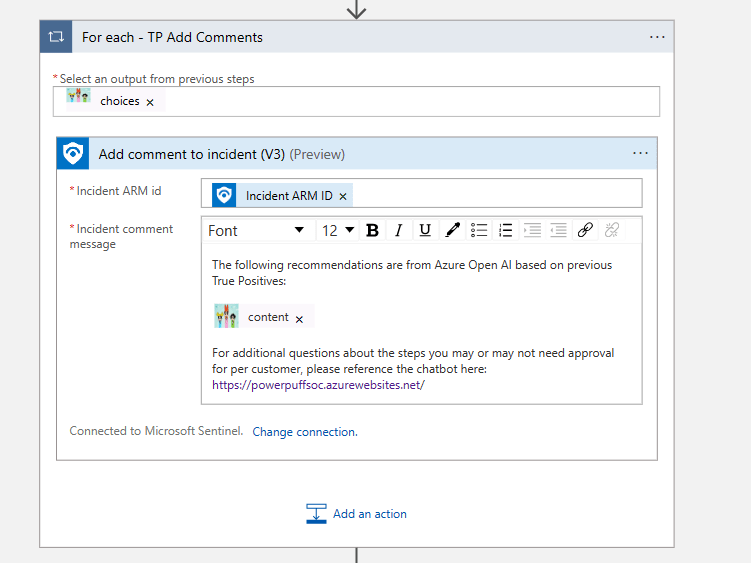
Then I repeat the same steps, but for the Benign Positives. Again, the only difference is that I don’t send the SOC analysts to the chatbot for Benign Positives recommendations, but technically you can, it just depends on what type of information you will need to keep on your customers.
My SOC chatbot
As I mentioned above, I was patiently (?) waiting for this feature to be available, because I wanted to test this scenario. I used the steps in the documentation to add data, in my case I used Azure Blob Storage and I created a new index called samplecustomerdata.
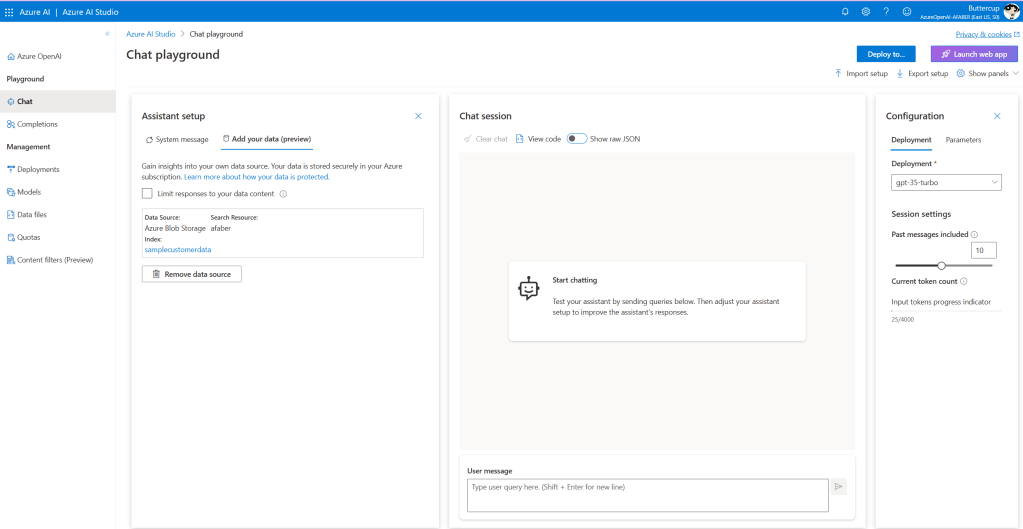
You do have other options, such as uploading files. In my case, it made more sense to just use the blob storage I was using to store these documents, which are sample customer data for my five fictional customers; Acme Corporation, Beta Industries, Delta Dynamics, Epsilon Enterprises, and Gamma Solutions.
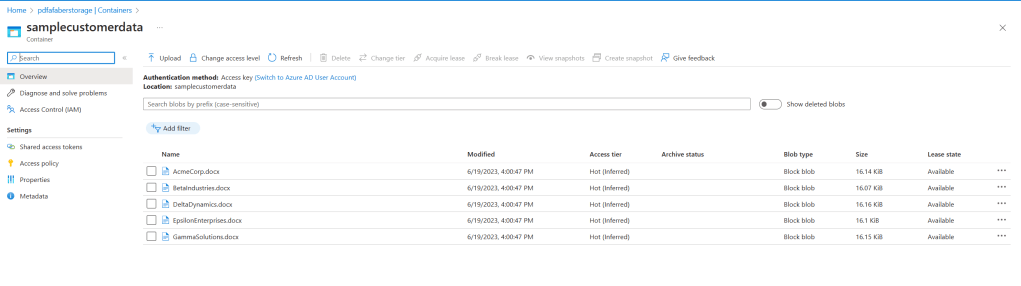
And once the data was configured and I tested within the chat session that it was responding as I expected to, then I went ahead and deployed the web app.
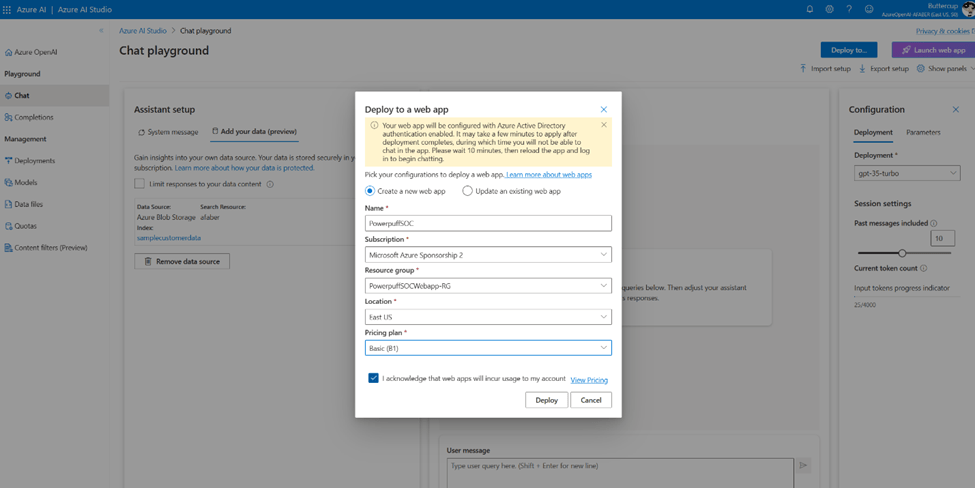
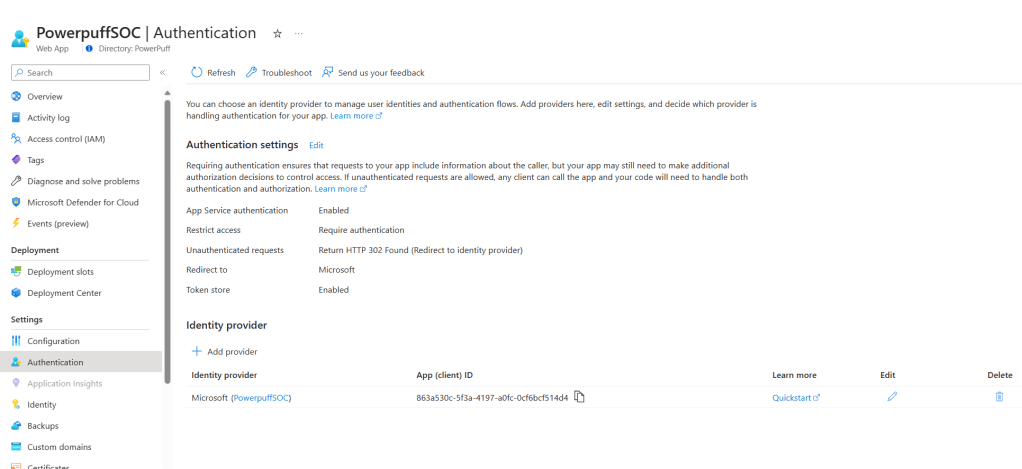
I also configured an identity provider for my web application, which you can do via the Authentication blade in App Services.
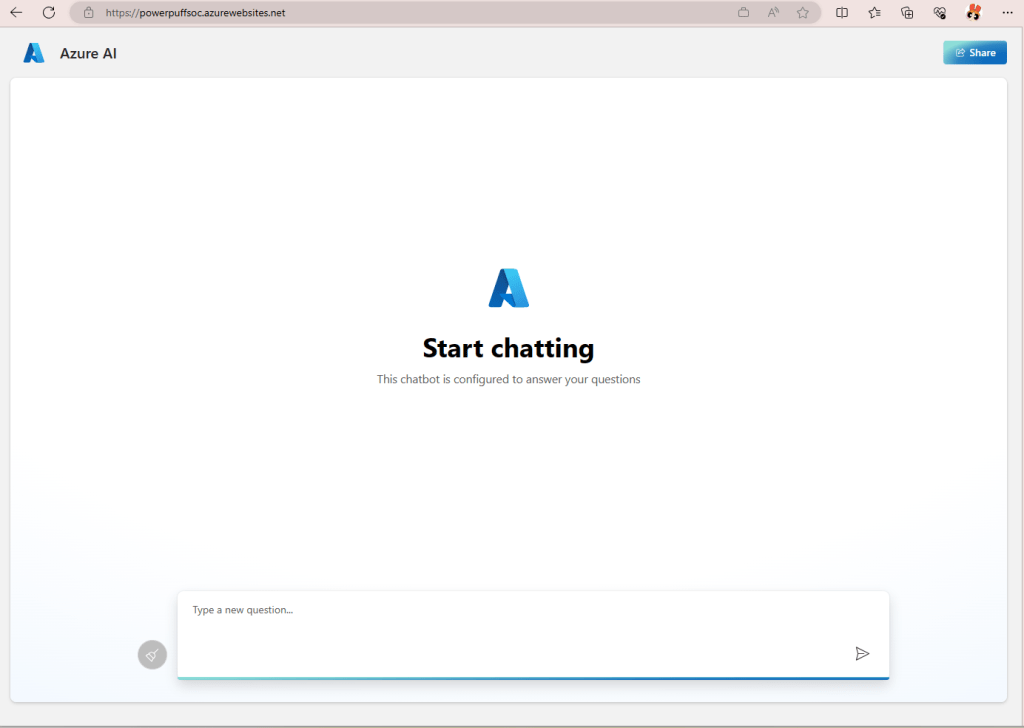
The result is my very own SOC chatbot, which now specializes in information about my customers. The magic of grounding! I’ll show you how I use this chatbot in a little bit.
All together now
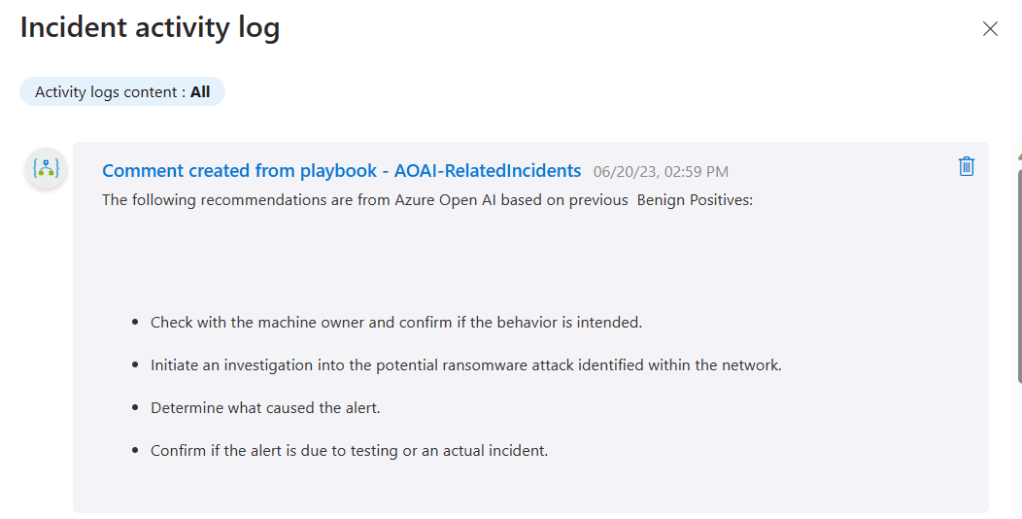
In my demo I have some incidents with a description of “Mimikatz credential theft tool“, which I have been triggering (and closing) on purpose for this test. So, when I run the AOAI-RelatedIncidents playbook I get two comments, one for the Benign Positives.
And one for the True Positives.
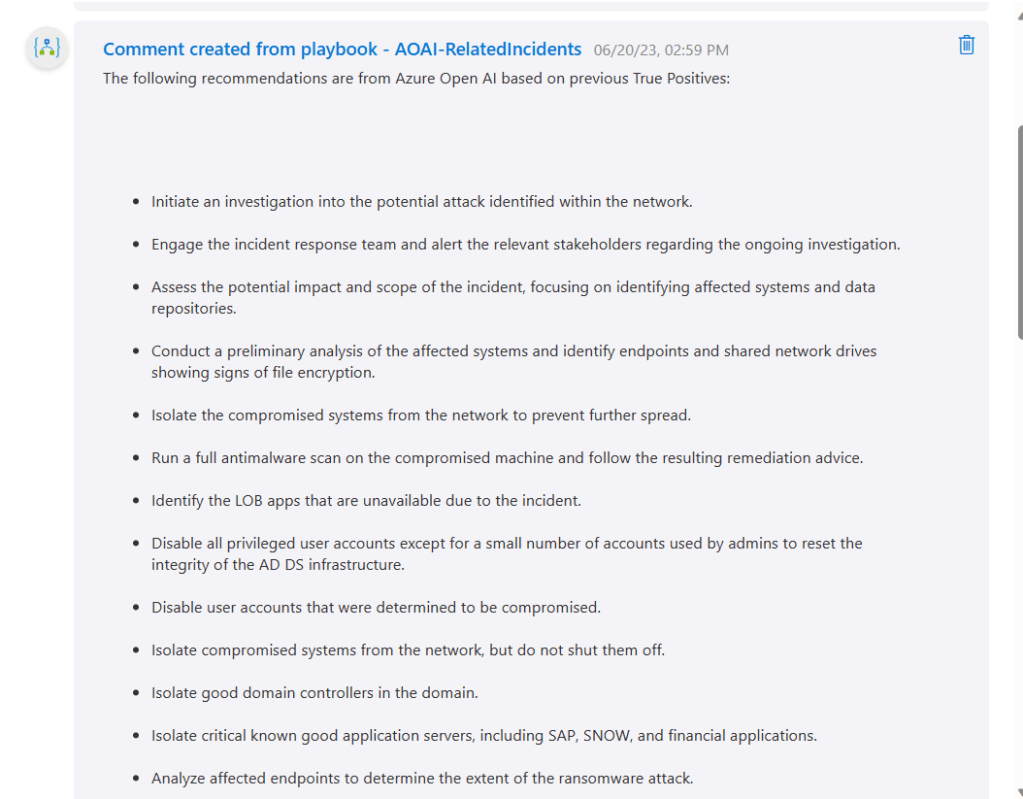
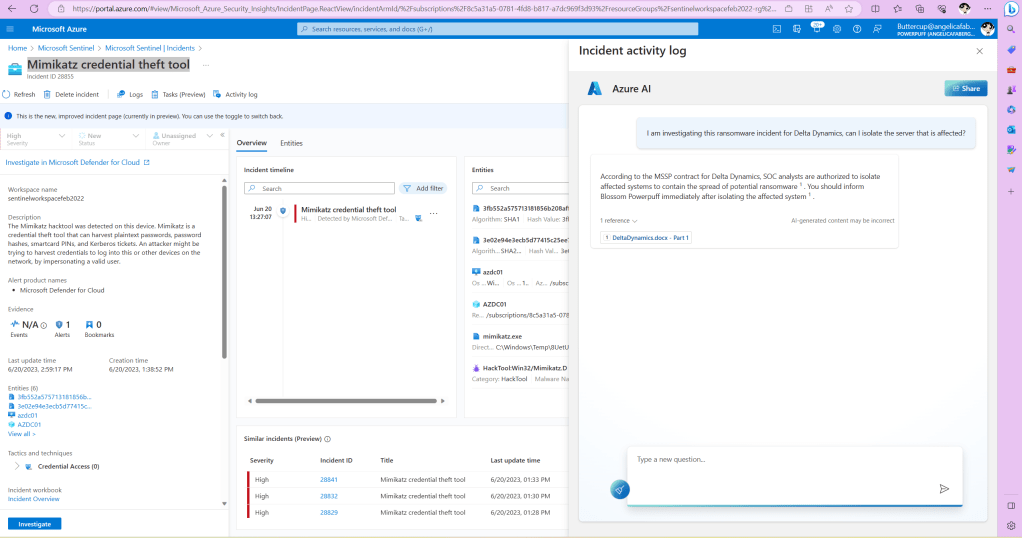
And on the True Positives one I added the URL, and when I click on it, I get the page to show up right there within the activity log, while working on the incident. My chatbot is grounded by the customer data in that storage account. In my case that data is about each of the customer’s requirements when it comes to SOC analysts being able to complete certain tasks without approval, but other tasks require either approval or notification.
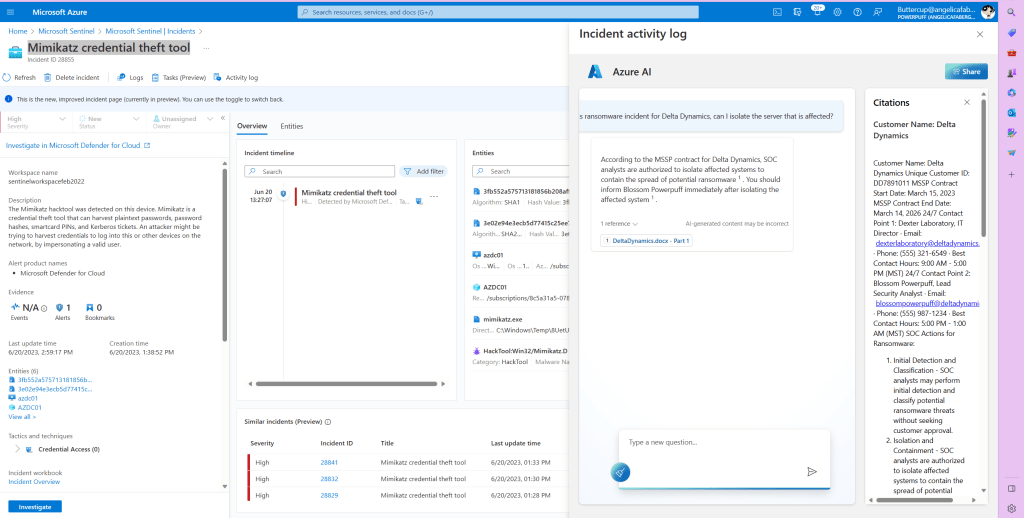
And if I click the link to the document that is listed as a reference, I can actually scroll through the entire contents.
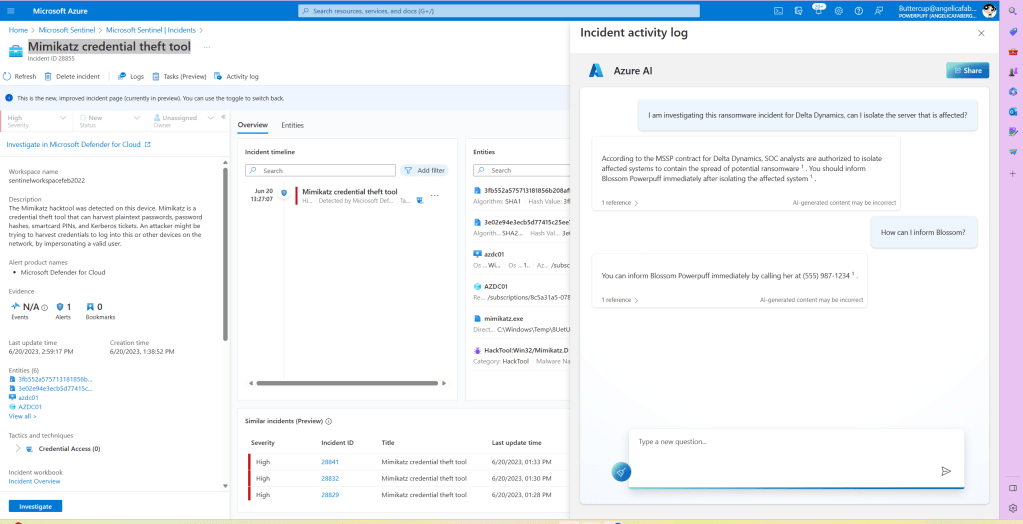
Or I can just continue my conversation with the chatbot to get what I need, as shown below.
Closing
As usual, I hope you find this blog post useful. There are many possible improvements to what I came up with here, I can already think of two😊. However, I wanted to share what I have working for now, so that anyone else brainstorming ideas can take what I have so far and run with it.
 My Faber Security
2 thoughts on “Investigation suggestions from related incident comments & a SOC chatbot with Azure OpenAI”