TL;DR – Generating an Incident Report based on data from a Sentinel incident using a custom Logic App that connects to Azure OpenAI (gpt-3.5-turbo and gpt-4).
I don’t know anyone that loves writing Incident Reports. And it just so happens that one of the tasks that Azure OpenAI is really good at is summarizing, so I thought a good way to put that skill to use is with Incident Reports. In this blog post I share how I got Azure OpenAI to generate some Incident Reports for me.
Before I go on, I want to make sure anyone reading this post knows that I am working with my own instance of Azure OpenAI, which exists within my Azure subscription and it’s completely under my control.

The playbook
Note: I will not cover the details of creating the Azure Logic Apps Custom Connector, because I went over that in one of my previous blog posts.
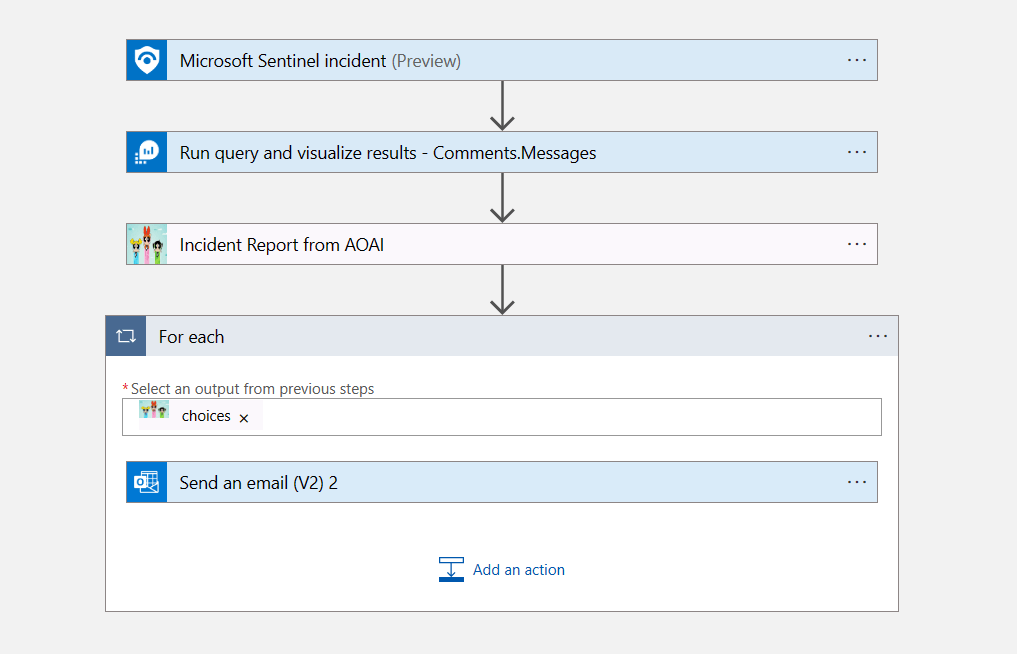
The playbook (Azure Logic App) is really simple, it just includes 4 steps. It’s based on Sentinel Incident trigger. Then (2) it runs a KQL query to get the specific comments updated to the incident, and then (3) it goes out to Azure OpenAI to generate the report, and then (4) it emails the report.
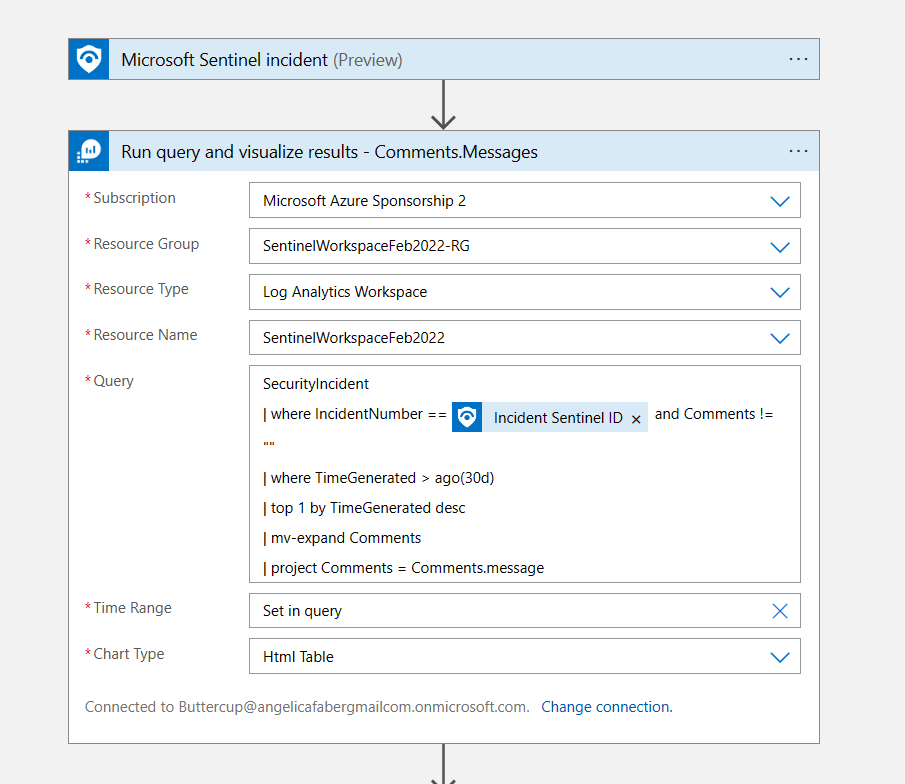
The KQL query is getting the comments for that incident, specifically the messages within the comments, because that’s all I need to pass to Azure OpenAI (for now 😊), so I need to filter out the data because, as we all know, GPUs are not free.
Then for the Azure OpenAI call, I am just using two of the roles, system and user. I don’t need assistant for now, maybe others testing will find it useful to provide some examples, for that you can use the assistant role. However, in this simple scenario, I am not using it.
Within the system role, I am passing some information and guidelines of what I expect to see in that incident report, as shown below. I can add additional guardrails, but I am keeping it simple for this initial scenario.

I want to point that I am passing the results of the query above as Attachment Content, which in my case are the messages that were included within the comments for this incident. Also, I am asking for the answer to be provided in HTML format. This is because it’s going make a difference in the readability of the email I am sending.
Finally, the email action, where I am passing the content from the previous action within the body of the email.
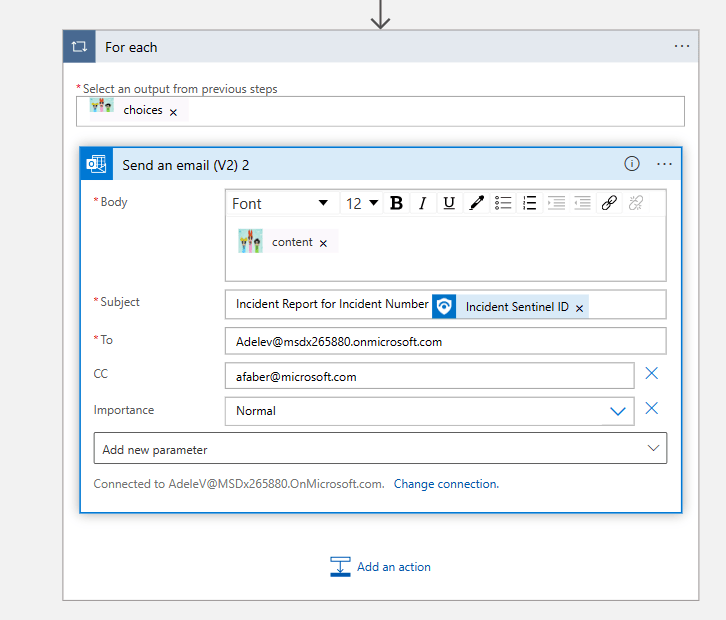
By the way, I am sending the email directly because it’s a test instance, but I could always add an approval request before the email is sent.
The email contents
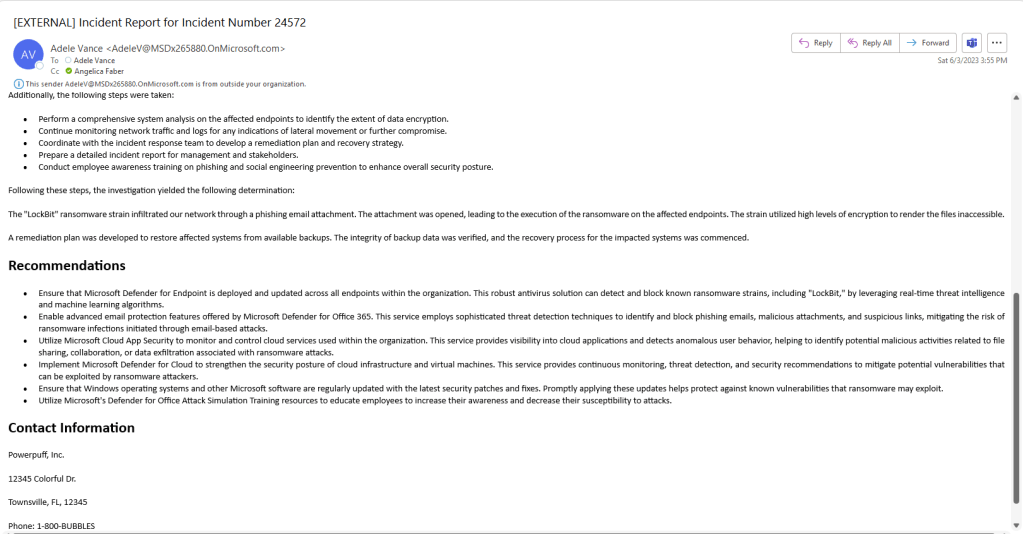
So, this is what the report looked like:
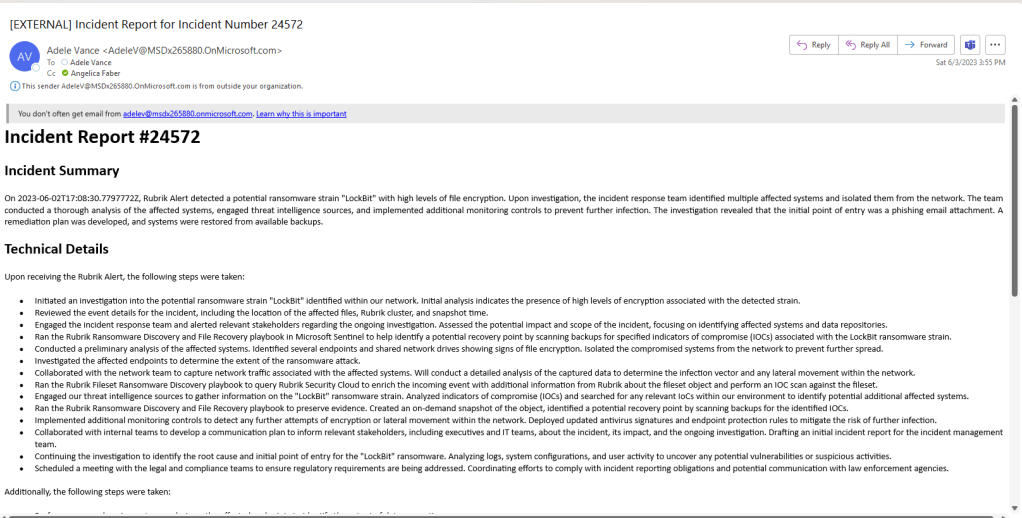
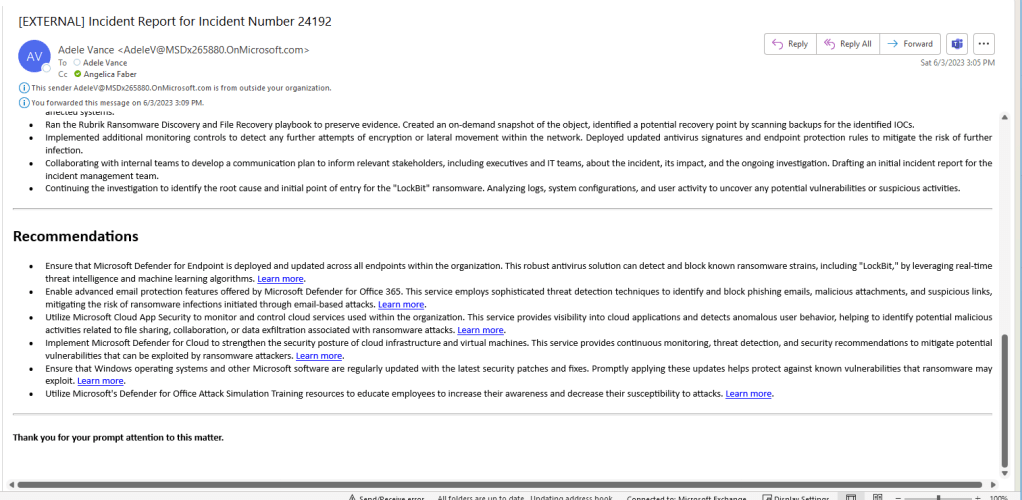
Some of the recommendations even included links:
The future is very soon
What I shared in this blog is just my initial testing of an idea, but I know there’s probably more I can do to make this report more consistent. I am anxiously awaiting the Azure OpenAI features that were announced during Microsoft Build, especially those that discussed Retrieval Augmented Generation (RAG) features, which are expected to be available early June. In case you are curious, one of those sessions was Getting started with generative AI using Azure OpenAI Service. Once available, I plan to retest this scenario using those features, which should allow me to import data into my Azure OpenAI instance to help set some guardrails and add additional content.
 My Faber Security
2 thoughts on “Sentinel Incident Report using Azure OpenAI”